
Digital Workforce Services
Skilled people lose hours every week to re-keying data, chasing approvals, and switching between systems that were never built to talk to each other. Our digital workforce services design digital workforce solutions that take on defined, repeatable work, using AI agents, rule-based automation, and system integrations. People stay in charge of decisions and exceptions. We help operations and IT leaders find the right workflows to start with and build an AI-powered digital workforce around them.
What Do Digital Workforce Services Include?
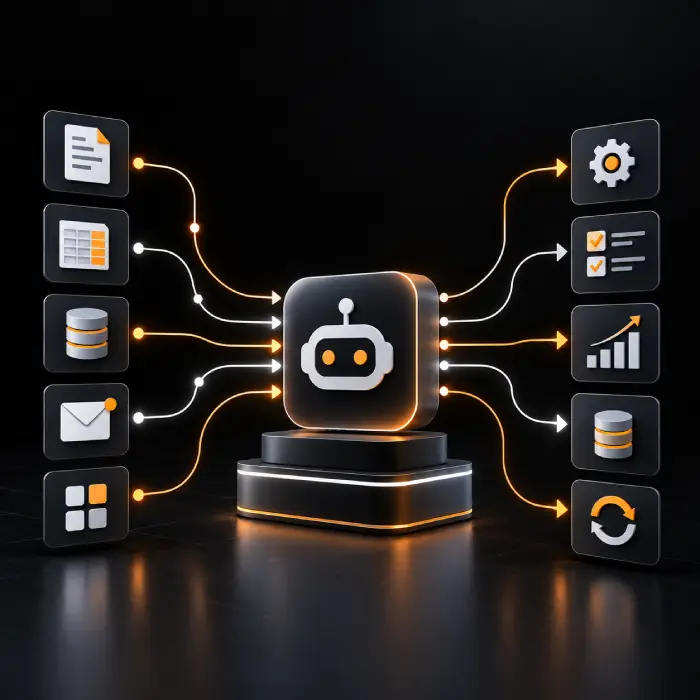
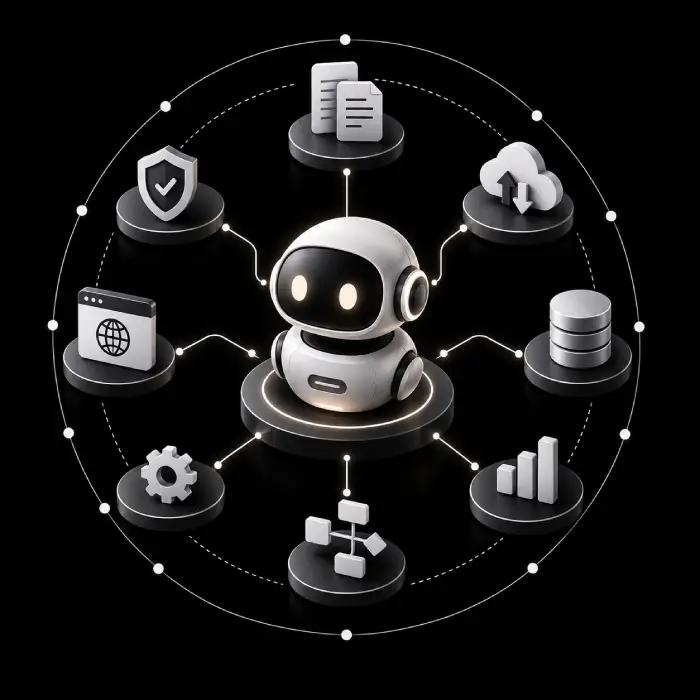
A digital workforce is a group of software-based workers, such as AI agents, automation scripts, and integrations, that carry out defined business tasks alongside people. What each digital worker can do depends on how it is built: the systems it can reach, the data it can see, the permissions it holds, and the rules that govern it. Our digital workforce development work usually combines the components below. The exact mix is set after we understand your workflows.
Our digital workforce development work usually combines the components below:
- Workflow assessment and opportunity discovery, to find work that is stable, repeatable, and worth automating.
- Design and build of AI-powered digital workers and agents for language, document, and judgment-based tasks, alongside rule-based automation for steps that must behave the same way every time.
- Digital workforce integration with the CRM, ERP, helpdesk and internal systems your teams already use.
- Orchestration that coordinates several workers and systems across one end-to-end process.
- Approval, escalation, and exception handling, so people review whatever needs a person.
- Access controls, logging, monitoring, and ongoing tuning after launch.
Why Businesses Invest in Digital Workforce Automation
Most teams do not need more tools. They need less manual effort moving work between the tools they have. Done well, business process automation gives people time back for work that needs judgment. Results depend on how suitable the process is, the quality of your data, integration complexity, governance and adoption, so we measure against your own baseline rather than a promised number.
Less Repetitive Manual Work
Routine steps such as data entry, status checks and form handling move to software, so people spend more time on exceptions and decisions.
More Consistent Workflows
A defined process runs the same way each time, with every step logged, which makes handoffs easier to follow and audit.
Connected, Less Fragmented Processes
Digital workers move information between systems, which cuts duplicate entry and the gaps that appear between teams.
Faster Handling of Routine Requests
Common requests can be triaged, answered or routed without waiting for someone to pick them up, with a person stepping in when needed.
Capacity That Scales With Selected Processes
Once a workflow is reliable, volume can grow without the same growth in manual effort, and dashboards give operations leaders visibility into what is running, what failed and what needs attention.
Digital Workforce Solutions Built for Your Business
Our intelligent automation services can combine the options below, depending on the workflow, your systems and how much human review the work needs. We agree the right mix with you during discovery.
AI-Powered Digital Workers
Role-focused workers that handle a defined set of tasks, such as triaging requests or preparing records, using language models within the boundaries and permissions you set. Together they form an intelligent digital workforce your teams can supervise.
AI Agent and Multi-Agent Workflows
Agents that plan steps, call tools and hand work to one another for multi-step processes, covered in more depth in our agentic AI development work.
Rule-Based Automation and RPA
Fixed-logic automation for stable, high-volume steps where the same input should always give the same result and where judgment is not needed.
Intelligent Document Processing
Extraction of fields and line items from invoices, forms and other documents, with a review step so people can confirm what the system read before it moves on.
Customer Service and Conversational Automation
Chat and voice assistants that answer routine questions and route the rest to your team, built with conversational AI and connected to your helpdesk or CRM.
Finance and Operations Workflow Automation
Automation for repeatable back-office work such as invoice handling, reporting and order status updates, with approvals where policy requires them.
Enterprise Application Integration
Connections between CRM, ERP, ticketing and internal tools so digital workers can read and update the systems of record. See our enterprise integration services.
Human-in-the-Loop Workflows
Approval, review and escalation steps placed where a decision carries risk, so a person confirms the action before it is taken.
Monitoring, Governance and Optimization
Logging, access controls and performance tracking after launch, with regular tuning as your processes, data and systems change.
Which of Your Workflows Is Ready for a Digital Worker?
Share one process that eats up your team's time. We will help you judge whether it suits automation and what a sensible first step could look like.
Our Digital Workforce Implementation Process
We start with one high-impact workflow and expand as your needs grow. After assessing your systems, data, and approval requirements, we define a clear timeline and implementation plan while keeping you in control at every stage.
- 1
Discovery and Workflow Assessment
We map how the work is done today, who touches it, which systems are involved and where delays and errors occur.
- 2
Opportunity Prioritization
We rank candidate workflows by stability, volume, risk and effort, and agree how success will be measured against your baseline.
- 3
Architecture and Integration Planning
We choose the right mix of agents, rules and integrations, and define permissions, data access, approval points and error handling.
- 4
Build and Configuration
We build and configure the digital workers, connect them to your systems and set up the orchestration between them.
- 5
Testing, Security Checks and Oversight Design
We test against real scenarios and edge cases, review access and data handling, and confirm that escalation and audit logging work.
- 6
Deployment, Monitoring and Improvement
We roll out with your team, track performance and failures, and tune the solution as volumes, data and systems evolve.
Digital Workforce Services Use Cases
Explore digital workforce services use cases where AI workflow automation and enterprise workflow automation reduce repetitive tasks, streamline business processes, and improve efficiency while keeping people involved in critical decisions.
Customer Support Request Routing
A digital worker reads incoming tickets, classifies them, drafts a first response for common questions and routes the rest to the right team. Agents review anything sensitive or unclear.
Lead Qualification and CRM Updates
New leads are checked against your criteria, enriched from approved sources and logged in the CRM. Sales reps decide how to follow up on the leads that qualify.
Invoice and Document Extraction
Fields and line items are read from invoices and forms and matched against purchase records. Finance staff review low-confidence or mismatched items before anything is posted.
Employee Onboarding
Account requests, document collection and welcome tasks are triggered and tracked across HR and IT systems. Managers and HR approve access and exceptions.
HR and IT Service Requests
Routine questions and requests, such as policy lookups or access resets, are answered or routed automatically. Requests that touch sensitive data go to a person.
Enterprise Knowledge Retrieval
An assistant answers staff questions from approved internal documents and cites its sources, so people can check an answer before they act on it.
Report Preparation and Data Consolidation
Data is pulled from several systems, combined into a standard report and flagged where numbers do not reconcile. Analysts review and sign off before it is shared.
Order Processing and Multi-System Coordination
Order updates move between order management, inventory, and customer messaging systems, with exceptions such as stock shortfalls sent to an operator.
Digital Workforce vs AI Agents vs RPA vs Workflow Automation
Understand how digital workforce solutions differ from AI agents, RPA, and workflow automation. Each serves a distinct purpose, and the right approach depends on your business processes, integration needs, and governance requirements.
| Dimension | Digital Workforce | AI Agents | RPA | Traditional Workflow Automation |
|---|---|---|---|---|
Main purpose | Run end-to-end processes alongside people using a mix of software workers | Pursue a goal by planning steps and using tools | Repeat defined steps, often through application screens | Coordinate steps, conditions and system actions in a set sequence |
Typical task complexity | Simple to complex, depending on components | Multi-step tasks with variable inputs | Repetitive, structured tasks | Structured, predictable processes |
Decision-making | Varies: fixed rules, model-assisted judgment or human approval | Context-dependent choices within set limits | Predefined rules only | Predefined conditions and branches |
Workflow and system integration | Connects several systems through APIs and, where needed, interfaces | Calls tools and APIs it has been given access to | Works through APIs or user interfaces | Usually through APIs and connectors |
Adaptability | Moderate to high, based on design | Higher, but needs testing and guardrails | Low; can break when screens or rules change | Low to moderate; changes are configured |
Human oversight | Approvals and escalation designed into the process | Needed for high-impact actions and exceptions | Exception queues handled by staff | Approval steps built into the flow |
Suitable use cases | Processes that span teams, systems and several kinds of work | Language-heavy or variable tasks, such as triage or research | High-volume, stable data entry and transfers | Predictable approvals, notifications and handoffs |
Important limitations | Only as reliable as its parts, data and governance | Can be wrong or inconsistent; needs monitoring | Struggles with unstructured inputs and change | Cannot handle ambiguity without added logic |
Technologies We Use to Build Digital Workforce Solutions
We leverage AI, chatbot, and automation technologies to build digital workforce solutions tailored to your business needs. During discovery, we select the right tools and platforms based on your existing systems, data, integration needs, and security requirements.





















Industries We Help With Digital Workforce Solutions
Why Choose Wappnet AI as Your Digital Workforce Services Company?
When you compare a digital workforce company, look for one that starts with the workflow, connects to the systems you already run, and keeps people in control. That is how we approach it, building on Wappnet.ai's published AI engineering work. We assess your processes first, then use agents, fixed rules, or plain integrations, whichever suits the work. After launch, we monitor performance and tune the solution as your data, volumes, and systems change.
We Start With the Workflow
We assess the process first and pick the lightest approach that works, whether that is an agent, a fixed rule, or a plain integration.
Built on AI Engineering Experience
Our teams build AI agents, multi-agent systems, RAG assistants, and chatbots. See our multi-agent and AI consulting and development services.
Connected to Your Systems
We integrate with CRM, ERP, and helpdesk platforms such as Salesforce, HubSpot, SAP, and Zendesk, so digital workers fit into how your teams already work.
Oversight and Governance by Design
Human review, access controls, and monitoring are part of the design, supported by our Responsible AI practice.
Real-World Digital Workforce Services We've Delivered
Autonomous digital workers and multi-agent automations streamlining high-volume operations with built-in human governance.
Autonomous Multi-Tier Support & Ticket Orchestration
AI agents triaging, answering, and resolving 60%+ of routine customer inquiries while routing complex issues to support specialists.
End-to-End Invoice Processing & ERP Reconciliation
OCR extraction, automated matching, and exception routing across purchase orders and accounts payable in SAP.
Cross-Department Employee Lifecycle Orchestration
Automating accounts provisioning, document collection, and compliance verification across Google Workspace, Slack, and HR systems.
Ready to Scope Your Digital Workforce?
Tell us about the workflows, systems, and approval rules involved. We will talk through what a digital workforce implementation could look like and where an initial assessment would fit.
Latest AI Insights & Industry Trends
 RAG
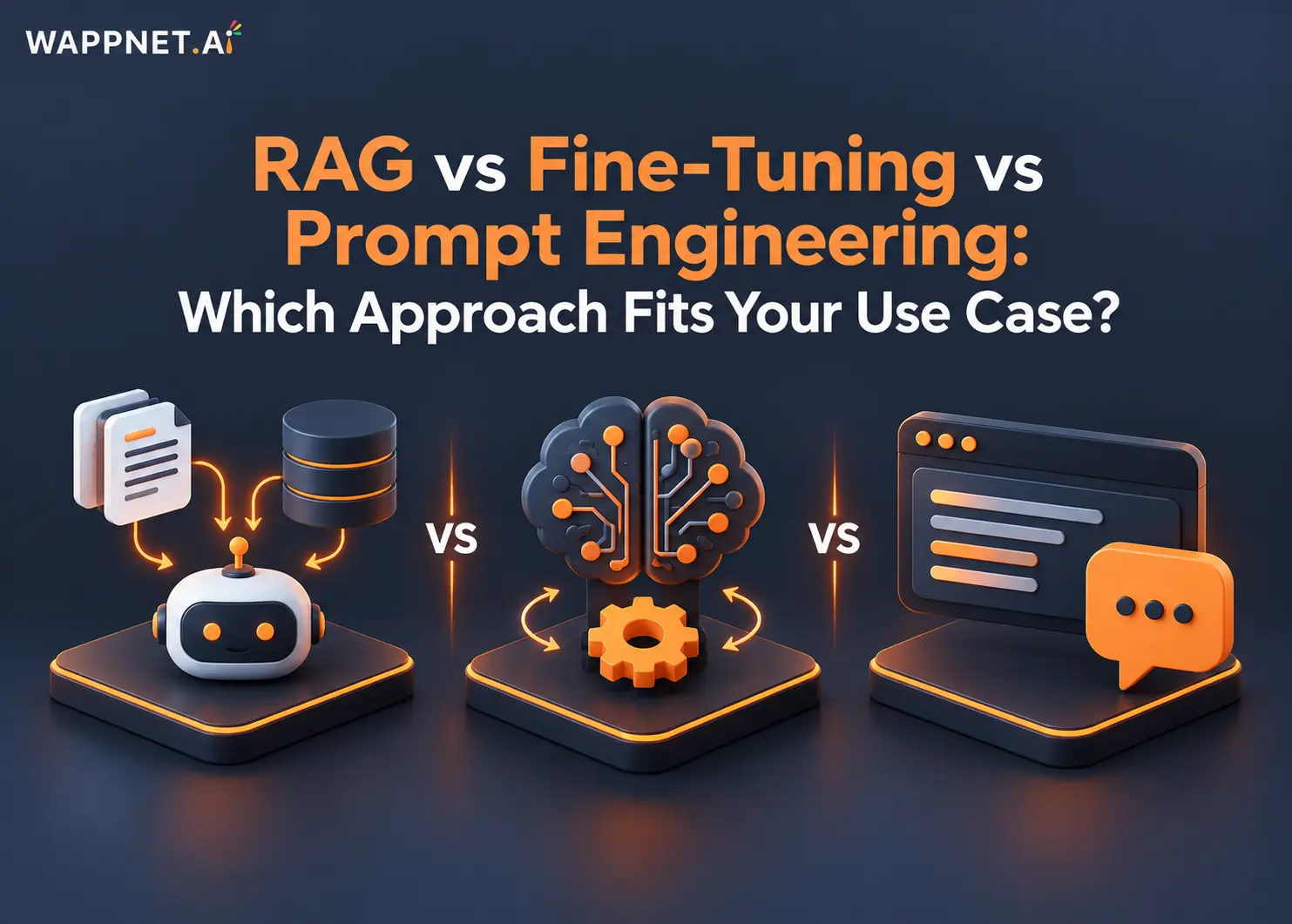
RAG vs Fine-Tuning vs Prompt Engineering: Which Approach Fits Your Use Case?
Compare RAG, fine-tuning, and prompt engineering to explore costs, use cases, and the best approach for enterprise AI.
 AI Copilot
What is an AI Copilot? Use Cases & Build Guide
What is an AI Copilot? Learn how it works, how it differs from AI agents, key use cases, and how to build one for your business.
 RAG
What Is RAG? A Complete Guide to Retrieval-Augmented Generation
Learn what RAG is, how Retrieval-Augmented Generation works, reduces AI hallucinations, and powers smarter enterprise AI.
Frequently Asked Questions
A digital workforce is a group of software-based workers, such as AI agents, automation scripts, and integrations, that perform defined business tasks alongside human employees. What they can do depends on how they are built, which systems and data they can access, and what rules govern them. People stay accountable for decisions and exceptions.
Digital workforce services cover the planning, building, integration, and ongoing management of digital workers for business processes. They typically include workflow assessment, solution design, development, integration with existing systems, testing, oversight design, and monitoring after launch. The aim is to reduce manual effort in suitable workflows, not to automate everything.
A digital worker receives a task or trigger, reads the data it needs from connected systems, performs defined steps, and updates the relevant systems. Some steps use fixed rules, others use AI for language or judgment. When a case is unclear or high-risk, it is passed to a person for review.
A digital worker is a software worker that performs a defined role or workflow. An AI agent is one way to build such a worker, using a model to plan steps and use tools toward a goal. Some digital workers are agents, while others follow fixed rules with no AI at all.
RPA follows predefined rules to repeat structured steps, often through application screens. A digital workforce is broader and can include RPA alongside AI agents, integrations, document processing, and approvals. RPA suits stable, high-volume tasks, while a digital workforce can also support work that involves unstructured inputs or several systems.
Good candidates are repeatable, well-understood processes with clear inputs, such as support triage, lead updates, invoice and document handling, onboarding, reporting, and order updates. Processes that change often, depend on heavy judgment, or have poor data are weaker candidates. A workflow assessment shows which ones fit.
Yes, in most cases. Digital workers can connect to CRM, ERP, helpdesk, and internal tools through APIs and, where an API is not available, other supported methods. Integration effort depends on the systems involved, their documentation, and your security rules, so we check feasibility during discovery.
Through logging, dashboards, alerts, and regular review. You can track what each worker did, where it failed, and which cases went to people. Access permissions limit what each worker can reach, and performance is tuned over time as your data, volumes, and systems change.
They should access only the data a task requires, through controlled permissions, with encryption and activity logging in place. Where data is sensitive, we design the scope, retention, and review steps with your security team. Compliance requirements vary, and decisions on them remain with your organization.
It depends on the number of workflows, how many systems must be connected, data quality, and the approval logic required. A single, well-defined workflow is quicker than a multi-system rollout. We give a plan after discovery rather than a fixed number in advance.
Cost depends on workflow complexity, the number of integrations, AI model usage, data preparation, security requirements, and ongoing maintenance. A smaller pilot costs less than an enterprise rollout. We provide an estimate after scoping so you can compare options against the effort the work saves.
Yes, and that is the intended model. Digital workers handle routine steps, while people handle decisions, exceptions, relationships, and anything that needs accountability. Approval and escalation steps are designed into the workflow so staff can review, correct, and override what the software does.
Look for a partner who assesses your workflows before proposing technology, explains where automation does and does not fit, and is clear about security, oversight, and monitoring. Ask for relevant examples with accurate descriptions, how integrations are handled, and what support continues after launch.