
AI Customer Support Automation Solutions
Help customers get useful answers sooner with AI-powered customer support that gives your team more time for conversations that need a human touch. Wappnet.ai connects approved knowledge, customer context, and support workflows to handle routine enquiries, organize tickets, and route complex requests to the right people.

Why Businesses Invest in AI Customer Support Automation
As enquiries increase, manual support processes can make it harder to respond consistently, find the right information, and resolve issues without unnecessary delays.
Repetitive Questions Take Up Time
Your team repeatedly answers questions about orders, product details, account access, policies, and common troubleshooting steps.
Requests Reach the Wrong Team
Poor classification and routing can lead to transfers, repeated explanations, and longer resolution times.
Customer Information Is Scattered
Agents switch between help desks, CRM platforms, order systems, and knowledge bases to understand a customer's issue.
Support Availability Has Limits
Enquiries can arrive after hours or during peak periods, leaving customers waiting for a useful response.
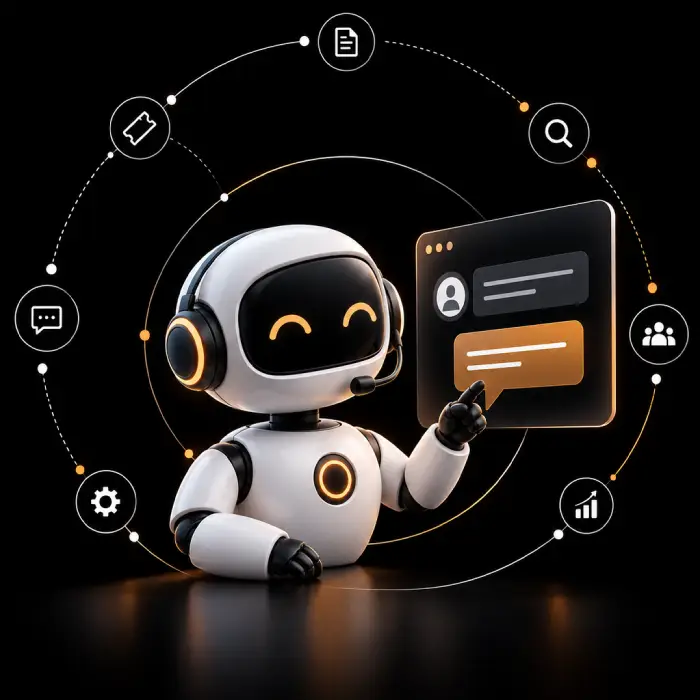
What Does AI Customer Support Automation Include?
Our approach helps businesses handle routine requests, retrieve relevant information, organize tickets, and coordinate the next step in a conversation while keeping people involved where judgment is needed. Whether you call it AI customer service automation, automated customer support, or customer support automation software, the scope is built around your existing systems, policies, and service goals, not a fixed package.
- Answer supported questions using approved knowledge, not guesses.
- Classify enquiries and route them to the right team automatically.
- Give agents useful context and response suggestions instead of a blank screen.
- Trigger authorized actions through your connected systems.
- Escalate uncertain or complex requests to a person with available conversation context.
AI Customer Support Automation Solutions Built for Your Business
Bring routine enquiries, ticket workflows, agent assistance, and connected systems into one AI customer service automation approach. We tailor AI help desk automation and ticket routing to your workflows, systems, and customer needs.
AI-Powered Responses
Answer routine questions using approved knowledge and product information.
Ticket Classification
Group incoming enquiries by topic, intent, and support priority as part of automated ticket management.
AI Ticket Routing
Direct tickets to the right queue, team, or agent using context and defined business rules.
Customer Support AI Agent Assistance
Help agents find information, summarize conversations, and prepare responses for review.
Connected Customer Data
Retrieve permitted customer details from connected CRM, help desk, and order systems.
Human Handoff
Escalate complex or sensitive requests to a person with the right expertise.
Omnichannel Customer Support Automation
Connect supported chat, email, and messaging channels while keeping relevant conversation context available.
Support Analytics
Spot recurring questions, knowledge gaps, and support workflow bottlenecks as part of ongoing customer service workflow automation.
Already Automating Some Support?
Let's review what's working, what isn't, and where automation can take over next.
Works With the Tools You Already Use
Customer support automation works best when it fits the systems your team already relies on. As with any customer service automation services engagement, available integrations depend on APIs, permissions, and data quality.
Our AI Customer Support Automation Process
A connected workflow helps each request reach the information, action, or person needed to move it forward.
- 1
Capture the Enquiry
Receive requests through supported channels such as website chat, email, messaging, or a customer support portal.
- 2
Understand the Request
Identify customer intent, relevant context, urgency, and the type of assistance required.
- 3
Retrieve Relevant Information
Use approved knowledge and authorized business data to prepare a response or determine the next step.
- 4
Resolve or Route
Answer supported questions, initiate permitted actions, or assign the request to the appropriate team.
- 5
Escalate When Needed
Route complex or uncertain cases to a human agent with available conversation context.
- 6
Track and Improve
Review resolution patterns, feedback, recurring issues, and support performance to find opportunities to improve.
AI Customer Support Automation: Use Cases
Start with the requests that consume the most time, create avoidable delays, or require coordination across teams.
Order and Delivery Enquiries
Help customers access authorized order and delivery information without manually looking up every status request.
Product and Policy Questions
Provide answers based on approved product details, return policies, service terms, and frequently requested information.
Technical Support
Guide customers through documented troubleshooting and route unresolved issues to the appropriate support team.
Ticket Prioritization
Organize incoming requests and direct them according to topic, urgency, ownership, and service rules.
Refund and Return Requests
Collect required information, explain relevant policies, and route requests for checks and approvals.
Internal Service Desk
Help employees find approved answers to common IT, HR, policy, and operational questions.
AI Customer Support Automation vs. a Basic FAQ Chatbot
A basic FAQ chatbot answers common questions, while connected customer support automation can also route tickets, retrieve permitted data, and trigger approved workflows. Capabilities depend on integrations and configuration, with human handoff available for cases that need review.
Industries We Help With AI Customer Support Automation
Customer service AI solutions should reflect the questions, service expectations, data controls, and workflows unique to each industry. That is why our customer service automation solutions are tailored to each sector rather than applied as a one-size-fits-all template.
E-commerce and Retail
Support product enquiries, order status requests, returns, delivery questions, and customer policies.
SaaS and Technology
Assist with product questions, documented troubleshooting, account enquiries, and ticket classification.
Financial Services
Route service enquiries and provide approved information while protecting sensitive account data.
Healthcare Administration
Support administrative enquiries, appointment information, and requests routed to authorized staff.
Logistics and Transportation
Coordinate shipment status enquiries, delivery questions, and operational follow ups.
Telecommunications
Assist with common service questions, issue classification, and routing to relevant teams.
Why Choose Wappnet AI for AI Customer Support Automation
Effective customer support automation for enterprises is not simply about adding a chatbot. It starts with understanding how requests arrive, where information lives, which actions are appropriate, and when a person needs to take over. If you are evaluating an AI customer support automation company, Wappnet.ai begins by reviewing your service goals, existing systems, data permissions, and escalation rules. The proposed scope is agreed upon with your team before workflows are designed or connected.
- Start with your customers' needs and your team's operational challenges, not a generic template.
- Connect customer questions to the right answer, action, or responsible team.
- Work with your existing systems where supported, instead of replacing tools unnecessarily.
- Ground every response in approved, maintained knowledge.
- Restrict customer data and system actions according to the permissions you set.
- Define when requests require human review, approval, or direct intervention.
- Use performance data and recurring issues to guide ongoing refinement.
Real-World Customer Support Automation Solutions We've Delivered
A look at how different teams have put AI customer support automation to work inside their existing systems.
E-commerce Support Automation
A direct-to-consumer retailer connected its help desk and order management system so routine order and return enquiries could be answered automatically, freeing agents for complex cases.
SaaS Ticket Classification & Routing
A B2B SaaS company automated enquiry classification and routing across its support queues, reducing manual triage work for its support team.
Financial Services Support Workflow
A financial services provider connected its CRM and knowledge base to answer approved account questions while keeping sensitive requests with human agents.
Find the Right Starting Point for Your Support Team
Identify a suitable first workflow, the systems it depends on, and where human review should remain in place.
Latest AI Insights & Industry Trends
 RAG
RAG vs Fine-Tuning vs Prompt Engineering: Which Approach Fits Your Use Case?
Compare RAG, fine-tuning, and prompt engineering to explore costs, use cases, and the best approach for enterprise AI.
 AI Copilot
What is an AI Copilot? Use Cases & Build Guide
What is an AI Copilot? Learn how it works, how it differs from AI agents, key use cases, and how to build one for your business.
 RAG
What Is RAG? A Complete Guide to Retrieval-Augmented Generation
Learn what RAG is, how Retrieval-Augmented Generation works, reduces AI hallucinations, and powers smarter enterprise AI.
Frequently Asked Questions
AI customer support automation uses AI and connected workflows to answer routine questions, classify requests, retrieve approved information, and coordinate actions or human handoffs. It helps reduce repetitive work while keeping complex or sensitive cases available for human review.
It identifies the customer's request, checks relevant approved knowledge or connected data, and then provides an answer, updates a ticket, or starts an authorized workflow. If the request is uncertain, sensitive, or outside its permissions, it can route the case to a human agent.
Common starting points for automated customer support solutions include FAQs, order or account status enquiries, ticket classification, routing, conversation summaries, and routine follow ups. The right scope depends on request volume, data availability, business rules, and the risk of getting an answer wrong.
Most customer support automation software can connect to your help desk or CRM when the platform provides suitable APIs or supported connectors. Before implementation, confirm which data can be accessed, which actions are permitted, how errors are handled, and when a ticket must be escalated.
It is best used to reduce repetitive work and help agents focus on cases that need judgment or empathy. Human review should remain available for sensitive issues, exceptions, complaints, and decisions that automation is not authorized to make.
Use approved and maintained knowledge sources, test responses against representative questions, monitor unresolved or incorrect answers, and define escalation rules for uncertainty. Review the content and workflow regularly as products, policies, and customer needs change.
Compare results with a pre-launch baseline. Useful measures include first response time, resolution time, first contact resolution, customer satisfaction, manual handling time, repeat contacts, and the rate of cases resolved safely without human intervention.
Protection depends on the architecture and deployment. Define access permissions, data minimization, retention rules, secure integrations, auditability, and handling for sensitive information before launch. The final controls should match your policies and applicable obligations.
Timing and cost depend on the systems involved, data readiness, workflow complexity, and testing needs. A scoped discovery and pilot can clarify dependencies and effort before a wider rollout. A reliable estimate requires reviewing your environment.
A chatbot is a conversational interface that may answer questions or collect details. Customer support chatbot automation may be limited to conversations, while a broader automation workflow can also classify and route tickets, retrieve permitted information, trigger approved actions, and hand cases to people. The actual difference depends on the chatbot's integrations and configuration.
AI help desk automation applies AI to support desk tasks such as classifying incoming requests, suggesting responses, summarizing conversations, finding approved information, and routing tickets according to defined rules. Teams can start with low-risk requests and expand into broader customer support workflow automation once pilot results support it.
Choose a high-volume, clearly defined support workflow, document the current baseline, confirm data and integration requirements, and agree on human escalation rules. Whether you handle this in-house or with an AI customer support automation company, run a limited pilot, review quality and customer outcomes, and expand only when the evidence supports it.