
MCP Development Services
Most AI assistants and agents can reason about a request but cannot reach your CRM, your database or your internal tools, and wiring each one by hand turns into a pile of one-off integrations that nobody wants to maintain. As an MCP development company, we build Model Context Protocol (MCP) integrations and client implementations, so compatible AI applications can use the tools and data you choose to expose, under the permissions you set. We work with CTOs, engineering leads, and product teams, from first use case to deployment and upkeep.
What Do MCP Development Services Include?
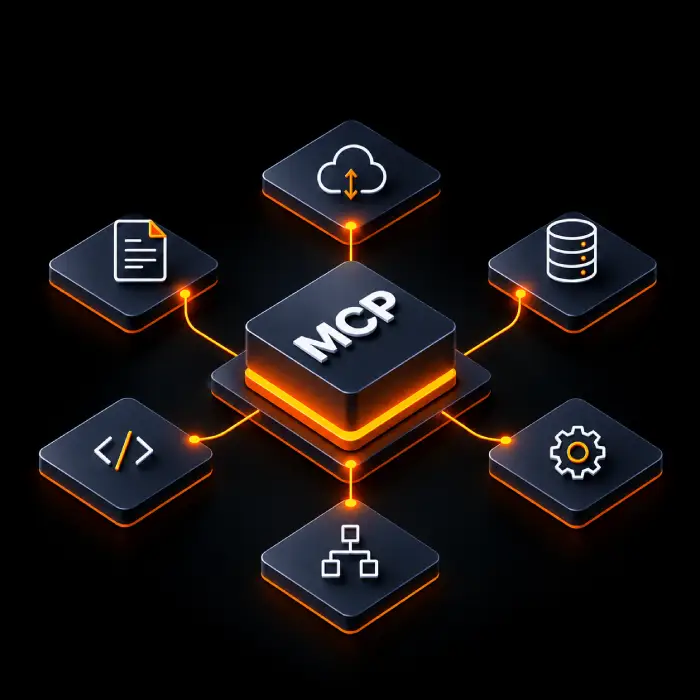
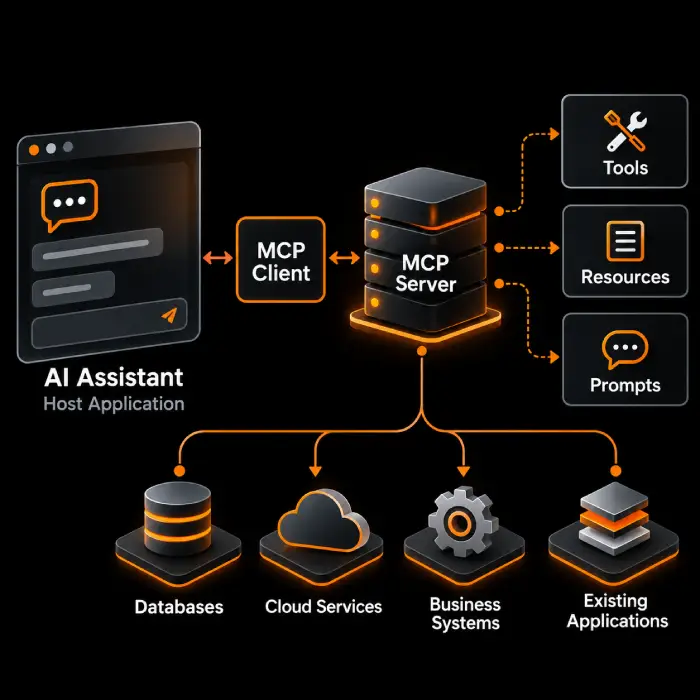
Model Context Protocol (MCP) is an open protocol that standardizes how AI applications connect to external tools and context. A host application, such as an AI assistant, runs an MCP client. The client talks to an MCP server, and the server exposes tools, resources, and prompts that sit on top of your existing systems. MCP is the connection standard. The model, the agent logic, and your business data come from elsewhere. Our scope depends on your systems and varies by project.
Our MCP development and integration services cover the complete protocol lifecycle:
- MCP server development and integration architecture to identify the right business systems to connect and define the tools, resources and prompts AI applications can access.
- MCP tools development to enable approved business operations with clearly defined inputs, outputs, and functionality.
- MCP integration services to connect AI applications with existing APIs, databases, CRM and ERP systems, SaaS platforms and internal tools.
- MCP client integration to help compatible AI applications and agents discover and use connected tools and resources.
- MCP security and access control to manage authentication, permissions and approval workflows for sensitive business operations.
- MCP testing, deployment, and maintenance to validate integrations, deploy them in suitable environments, and keep them reliable as business systems evolve.
Why Businesses Invest in MCP Integration
Teams adopting AI assistants and agents soon find that the hard part is access: which systems the AI may reach, in what way, and who is accountable for it. Building a separate connector for every application and every AI client does not scale. MCP gives those connections a common shape where the tools involved support it. It does not remove the work of understanding your systems, and we describe benefits as what can change for your teams, not as guaranteed savings or speed.
Controlled Access to Approved Systems
An MCP server exposes only the tools and data you decide on, which gives security and platform teams one defined surface to review.
Less Repeated Integration Work
One server can serve any compatible client, so supporting a second AI application need not mean writing a second connector. Client support varies, so we check it early.
Reusable Patterns Across Teams
Shared conventions for tool design, permissions and logging make later servers quicker to review and easier to maintain.
Better Governance and Upkeep
A defined integration layer gives you a clearer place to log tool calls, rotate credentials and update an interface when a backend system changes.
Limits We Plan For
MCP does not guarantee security or universal client-server compatibility, nor does it replace existing APIs. Feasibility depends on your systems, authentication, permissions and data structures. We assess these factors upfront and recommend stronger safeguards for sensitive operations or simpler alternatives when more suitable.
Custom MCP Solutions for Your Business
Connect one system or integrate multiple tools based on your business needs. Our MCP solutions address specific integration challenges with practical approaches tailored to your systems and workflows. Explore our Custom MCP Server Development and Enterprise Integration services for broader integration requirements.
MCP Servers for Internal Tools
Staff switch between tools to answer simple questions. A custom MCP server can expose a few approved operations from an internal tool to an AI assistant, for teams that want to ask instead of click.
MCP Integration Services for APIs and Databases
Useful data sits behind APIs and databases an AI client cannot reach. Our MCP integration services build connectors that expose selected queries and endpoints as tools or resources, with limits on scope and volume.
CRM and ERP Connectivity
Sales and operations teams work across CRM and ERP records. We connect those systems to compatible AI applications for lookup and updates, with write actions limited and logged.
MCP for AI-Powered Applications
Product teams building an AI feature need it to reach customer or product data. We add MCP client integration and server work to your application so the AI layer connects to your systems in a standard way. See AI-powered app development for the wider build.
MCP Tools Development for Approved Operations
Some actions, such as creating a ticket or checking stock, are safe to automate. We handle this through MCP tools development: narrowly defined tools with input checks and approval steps where an action has real consequences.
Knowledge and Data Systems
Answers live in documents and knowledge bases spread over several places. We expose approved content as resources or search tools, and pair with RAG where retrieval design is the main task.
Secure Integration Patterns for Enterprise Environments
Enterprise teams need identity, network, and audit rules respected. We design enterprise MCP integration around your identity provider, hosting rules, and review process, with the approach agreed up front.
AI Agent Tool Integration
Agents are only as capable as the tools they can call. We build the tool layer for AI agent tool integration, and the agent itself can come from our agentic AI development team or yours.
MCP Server Maintenance and Review
Servers built in a hurry often lack tests, logging, or sensible permissions. We review what you have, harden it, and provide MCP server maintenance as clients and the protocol change.
Not Sure What to Expose to AI First?
Tell us which systems matter, what AI applications you use or plan to use, and what your security team requires. We will help you judge whether MCP fits and scope a practical first server.
Our MCP Development Process
We follow a structured approach, from understanding your business needs and defining the architecture to building, testing, and deploying your MCP solution. Each MCP implementation is tailored to your systems, security requirements, and integration goals, with timelines agreed upon after discovery.
- 1
Requirements Discovery and Use-Case Assessment
We review the use case, the AI clients involved, the target systems and your security rules, and decide whether MCP is the right approach.
- 2
Integration Architecture and Technical Planning
We define which tools, resources, and prompts to expose, where the server runs, how users are identified, and what each role may do.
- 3
MCP Server and Tool Development
We build the server and its tools with clear descriptions, input validation, error handling, and rate limits, connected to your APIs and data.
- 4
MCP Authentication, Authorization and Security Validation
We connect the server to your systems and clients, then validate MCP authentication and authorization, permission boundaries, failure cases, and unsafe inputs.
- 5
MCP Server Testing and Deployment
We run MCP server testing with the clients you intend to support, handle MCP server deployment to your chosen environment, and confirm real calls behave as agreed before wider release.
- 6
MCP Server Monitoring and Ongoing Support
We set up MCP server monitoring for tool calls, errors, and latency, tune tool descriptions and limits, and update the server as your systems and the protocol evolve.
MCP Development Services: Use Cases
MCP helps AI applications connect with business tools and data to support practical workflows across teams. Explore common use cases and how MCP can fit your existing systems, with outcomes depending on your integrations, permissions, and implementation requirements.
AI Assistants Reaching Internal Systems
Employees search several tools for one answer. An MCP server can let an assistant query approved systems on the user's behalf. Consider whose permissions apply, so the assistant never sees more than the user could.
AI Agents Using Authorized Tools
An agent needs a safe set of actions rather than open access. MCP tools can offer a limited menu, such as reading an order or drafting a reply. Consider approval steps for anything that changes data.
Retrieving Data From Enterprise Applications
Reports and records sit in applications with their own APIs. A server can expose chosen records as resources or query tools. Consider result size, sensitive fields, and how stale data is handled.
Internal Operational Workflows
Routine requests such as status checks, ticket updates, or inventory lookups take staff time. MCP tools can let a compatible assistant handle them. Consider logging, rollback, and who owns each action.
CRM and ERP Connected to AI Applications
Account and order data is needed in conversations and summaries. An MCP server over your CRM or ERP APIs makes it available to compatible applications. Consider rate limits, field-level access, and write safeguards.
Approved Business Operations as MCP Tools
Operations such as approvals or bookings already exist behind internal APIs. Exposing them as tools makes them callable from AI clients. Consider confirmation prompts, idempotency, and audit trails.
MCP-Based Integration vs. Traditional API Integration
MCP and traditional API integration serve different but complementary purposes. MCP servers often use existing APIs to connect AI applications with business systems. The right approach depends on your integration needs, supported applications, security requirements, and business workflows.
Technologies We Use to Build MCP Solutions
We select technologies based on your existing infrastructure, integration requirements, and supported AI clients. Our technology stack may include tools and platforms from our MCP development and enterprise integration services, with final selections tailored to your architecture, hosting environment, and security requirements.
















Industries We Help With Model Context Protocol (MCP) Services
Why Choose Wappnet AI as Your MCP Development Company?
A server that works in a demo can still fail in production on permissions, reliability, or upkeep. As an MCP development services provider, we treat the use case, architecture, security, testing, and operation as one piece of work, and we are open about trade-offs before you commit budget. Our MCP integration services start from your systems and constraints, not from a fixed template.
Planning Led by the Business Use Case
We begin with what your teams need an AI application to do, then decide what to expose, and whether MCP is the right tool at all.
Implementation Around Your Existing Systems
We build against the APIs, databases, and applications you have. See our enterprise integration work for how we approach connecting systems.
Authorization and Access Control by Design
We plan identity, permissions, and approval steps early, supported by our Responsible AI practice. Compliance duties stay with your organization.
Testing, Deployment and Evolving Needs
We test with your target clients, deploy to your environment, and keep servers current as your AI tools and the protocol change.
Real-World Model Context Protocol (MCP) Solutions We've Delivered
Real-world MCP server and client integrations delivering governed access and operational efficiency.
Enterprise CRM & ERP Integration Server
Custom MCP server connecting Claude and custom AI assistants to Salesforce and SAP with role-based field-level permissions.
Internal IT & Ops Workflow Automation
Secure MCP tool layer exposing database queries and ticketing operations with human approval gates for critical actions.
Autonomous Agent Multi-System Orchestration
Standardized tool and resource interfaces allowing multi-agent systems to search knowledge bases and execute approved API tasks.
Ready to Plan Your MCP Implementation?
Bring your systems, your AI applications, and your security requirements. We will discuss architecture, integration, and a practical first server, with no obligation.
Latest AI Insights & Industry Trends
 RAG
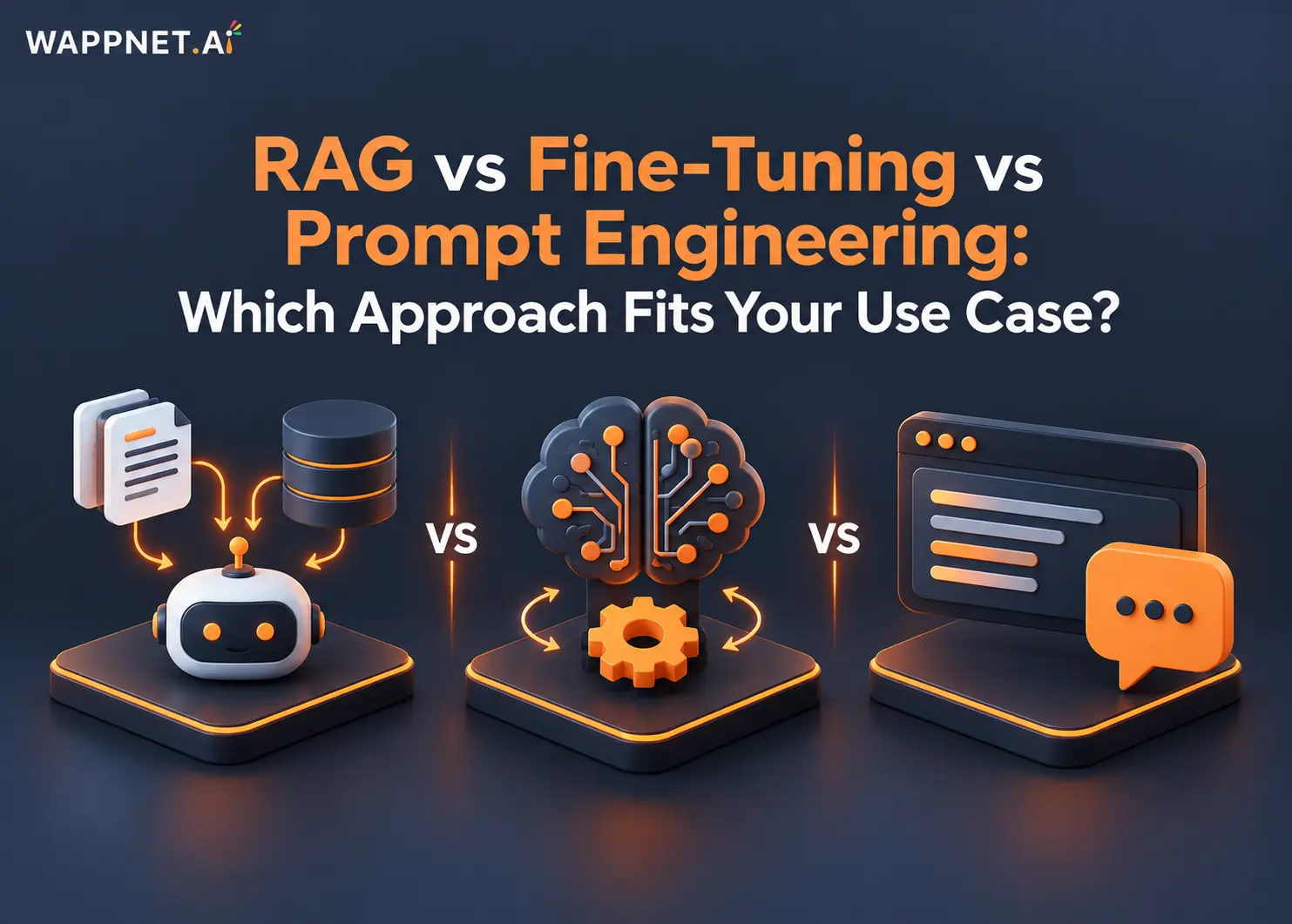
RAG vs Fine-Tuning vs Prompt Engineering: Which Approach Fits Your Use Case?
Compare RAG, fine-tuning, and prompt engineering to explore costs, use cases, and the best approach for enterprise AI.
 AI Copilot
What is an AI Copilot? Use Cases & Build Guide
What is an AI Copilot? Learn how it works, how it differs from AI agents, key use cases, and how to build one for your business.
 RAG
What Is RAG? A Complete Guide to Retrieval-Augmented Generation
Learn what RAG is, how Retrieval-Augmented Generation works, reduces AI hallucinations, and powers smarter enterprise AI.
Frequently Asked Questions
Model Context Protocol is an open protocol that standardizes how AI applications connect to external tools and data. A host application uses an MCP client to talk to MCP servers, which expose tools, resources, and prompts. MCP is a connection standard, not a model, database, or agent.
An MCP development company designs, builds, secures, deploys, and maintains MCP servers and client integrations. That includes choosing what to expose, building tools over your APIs and data, setting authorization and access rules, testing with target clients, and monitoring after launch.
A custom MCP server is one built around your own systems, such as an internal API, database, or CRM. It exposes chosen operations as tools, data as resources, and templates as prompts, so compatible AI applications can use them under the permissions you define. See our custom MCP server development page.
An API is a direct interface to a system. MCP is a standard layer that lets AI applications discover and use tools and data, usually by calling existing APIs. It does not replace APIs. It can reduce repeated connector work when several AI clients need access to the same systems.
Often, yes. A server can sit over the APIs or databases your systems already offer. Feasibility depends on available interfaces, authentication requirements, permissions and data structure, and on whether your AI clients support MCP. We assess these in discovery before committing to scope.
MCP does not enforce security by itself, so the server must. Common measures are identity and authorization suited to the transport, least-privilege permissions per tool, input validation, rate limits, audit logging, and human approval for high-impact actions. Security also depends on your deployment and data handling.
The work usually covers use-case assessment, architecture, building tools and connectors, authorization, security and failure testing, testing with target clients, deployment to a local or remote environment, and monitoring. Each stage is agreed with you, so the scope matches your systems.
It depends on how many systems are connected, the quality of their APIs, authorization needs, the number of tools, and your approval process. A narrow, read-only server takes less time than a multi-system deployment with write actions. We propose a phased plan after discovery instead of a fixed number in advance.
Cost depends on the number of tools and systems, integration complexity, security and compliance needs, testing scope, hosting, and ongoing support. We provide an estimate once requirements are clear, and we avoid quoting figures before we understand your systems.
Look for a team that explains where MCP fits and where it does not, treats authorization and testing as core work, and can describe how it connects to your existing systems. Ask for documented examples and be cautious of guaranteed security, interoperability, or savings.