
Invoice OCR
Send us an invoice as a PDF or image and get its key details back as clean, structured data. Our Invoice OCR solution uses AI Invoice Processing to capture the invoice ID, total amount, invoice date and customer name, so your team spends less time on automated data entry by hand. Invoices reach you from many places. You need that information in the tools you already use, without the copy-and-paste. This case study shows how the solution gets you there.
Project Overview
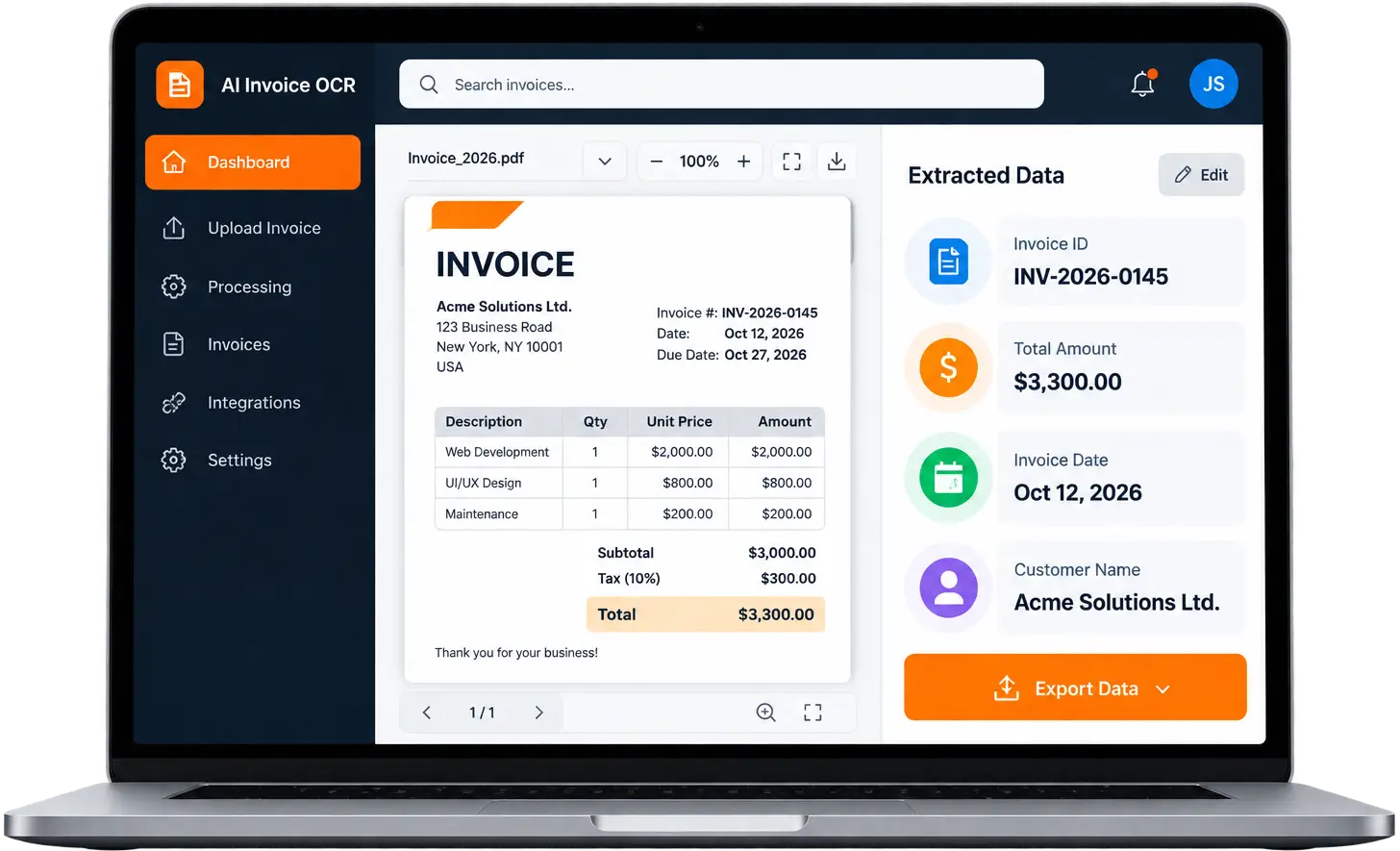
Invoices arrive as PDFs and images, and someone on your team has to turn them into data. Invoice OCR does that first step for you. It reads each document with optical character recognition and AI, then hands you organized information instead of a file to retype.
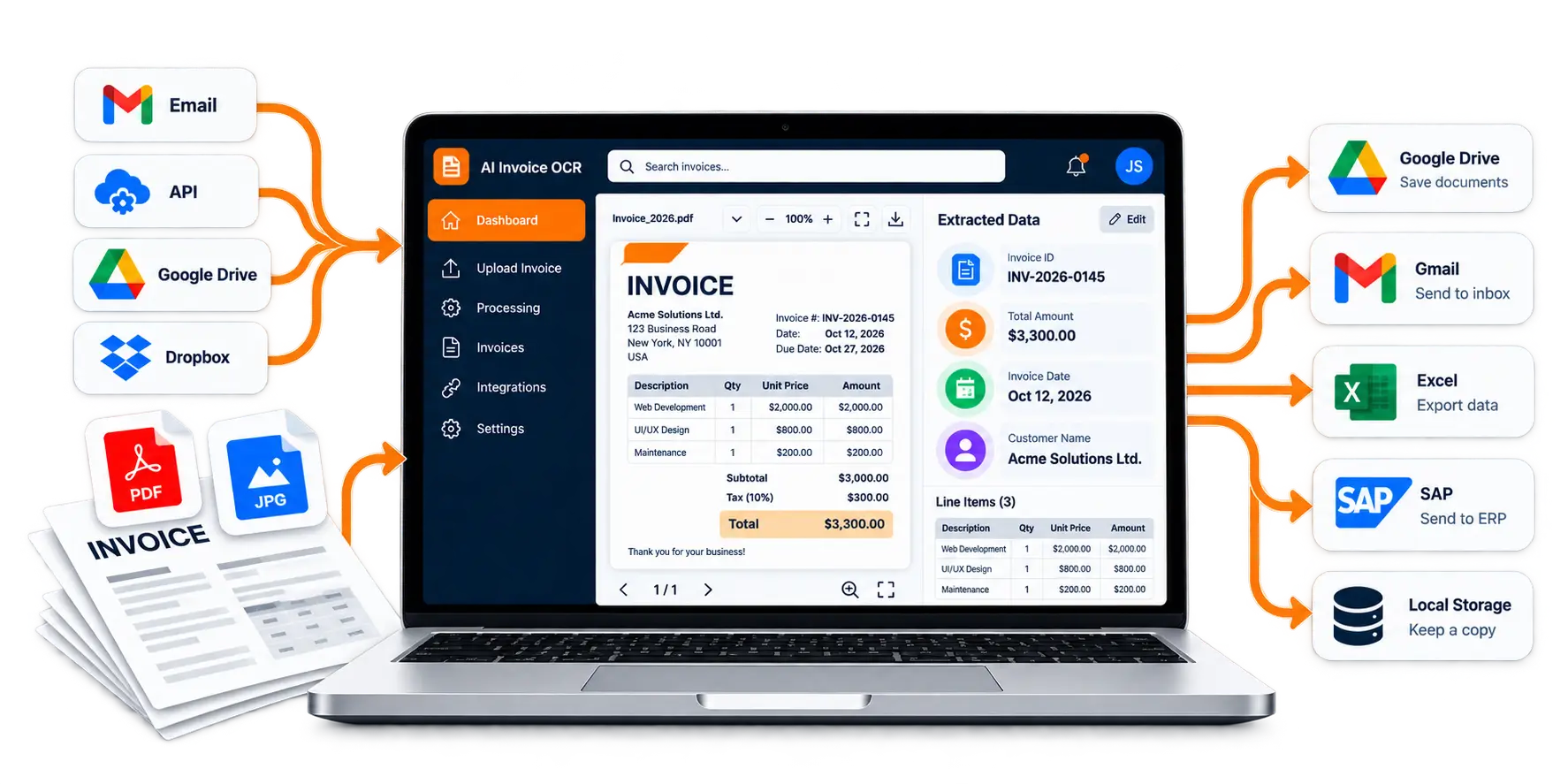
You can bring documents in from email, an API, Google Drive or Dropbox. Invoice data extraction captures the invoice ID, total amount, invoice date and customer name, including line items and tables. You can review the results, send them to your connected systems, and keep them in Google Drive or local storage. The goal is simple: less manual data entry and one consistent way to handle invoices.
Key Challenges
If invoices reach you in different formats and through different channels, you know how much effort it takes to get the details into your finance tools. We built the solution around four needs.
Invoices Arrive From Everywhere
Your invoices may come by email, sit in cloud storage or pass through other systems. A good Invoice Processing Automation workflow takes them from wherever they land, so no one has to gather them first.
Manual Entry Takes Time
Retyping invoice details is slow, and every typed value is a chance for a mistake. Reading the document automatically means your people stop copying values from a PDF into another system.
You Need Data, Not Documents
An invoice is unstructured. You need the invoice ID, total amount, invoice date and customer name as clear fields, and line items and tables in a usable layout. That is what invoice data extraction delivers.
Data Has to Reach Your Tools
Extracted data only helps when it reaches the systems your team works in. The workflow also needs export options, connections to existing systems and a place to store results, so AI Document Processing fits into daily finance work.
Solution Delivered
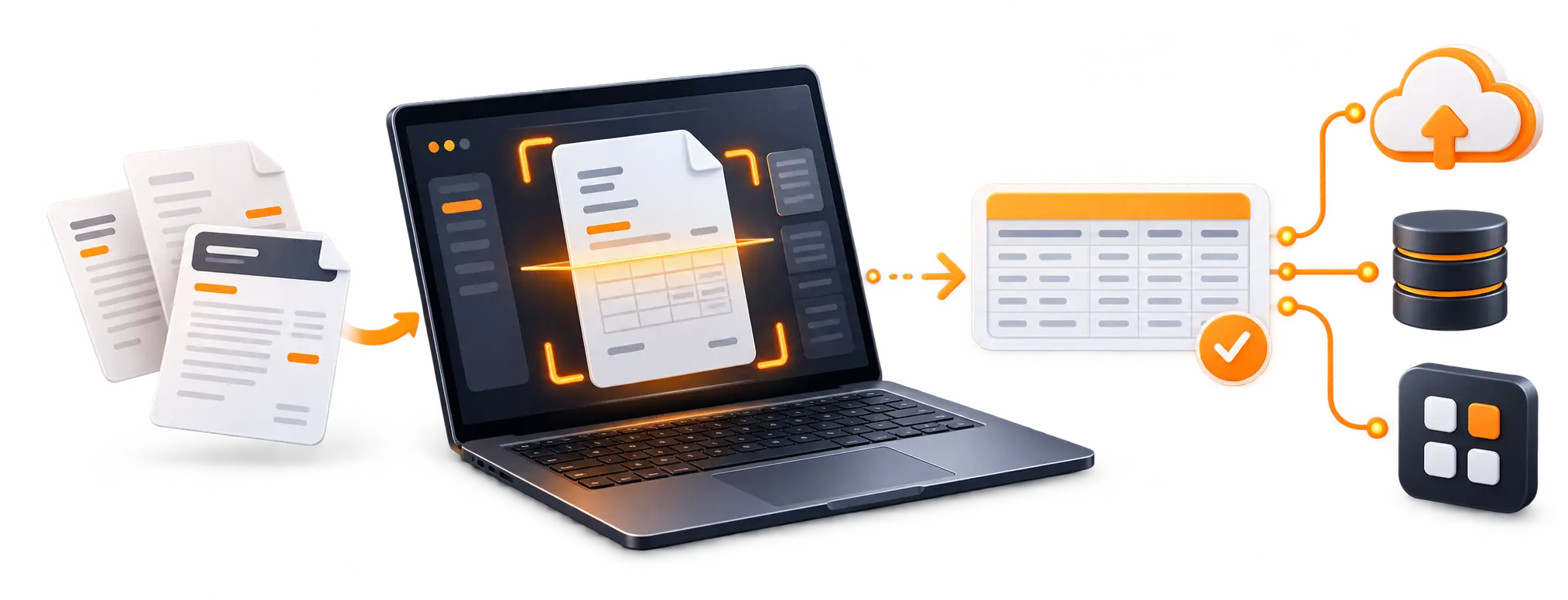
You bring in the invoice. The solution reads it, organizes the details, lets you check them, and passes them on. It is a practical use of Intelligent Document Processing for the financial documents you handle every day.
Bring In Your Invoices
Send invoice PDFs and images from email, an API, desktop apps, Google Drive, Dropbox, robotic process automation (RPA) and other cloud storage. Your documents enter the workflow from where they already live.
Let AI Read Them
Scans are processed through an integration with OpenAI's OCR technology. Invoice data extraction captures the invoice ID, total amount, invoice date and customer name, so you no longer key them in by hand.
Get Organized, Usable Data
Line items and tables are recognized and extracted in full. Columns are labeled the way you need them, and columns you do not need stay unlabeled.
Check the Results
A user-friendly interface lets your team review the extracted invoice data before using or exporting it, helping you check that the information meets your needs.
Send Data Where You Work
The solution connects with your existing systems and applications for export. You can store extracted data in Google Drive or local storage, and it syncs with popular cloud storage services.
Our Approach
We followed the path an invoice takes in your business: get it in, read it, organize it and pass it on. The points below describe the documented design, not a project timeline.
Built for Your Documents
The solution accepts invoices as PDFs and images and extracts defined fields, including line items and tables, across document types such as credit and debit notes, proforma bills, commercial invoices, receipts, and purchase orders.
Proven OCR Behind the Scenes
The solution integrates OpenAI OCR technology to read text from scanned invoices and convert it into structured data for further review and processing.
Data You Can Shape
Extracted values and table columns are organized for export to other systems. Label-based column mapping lets you choose which table columns matter to you.
Connected to Your Tools
Import, export, and storage connect to email, an API, Google Drive, Dropbox, RPA, and other cloud storage. This is the kind of build we deliver through Custom AI Software Development.
Features Implemented
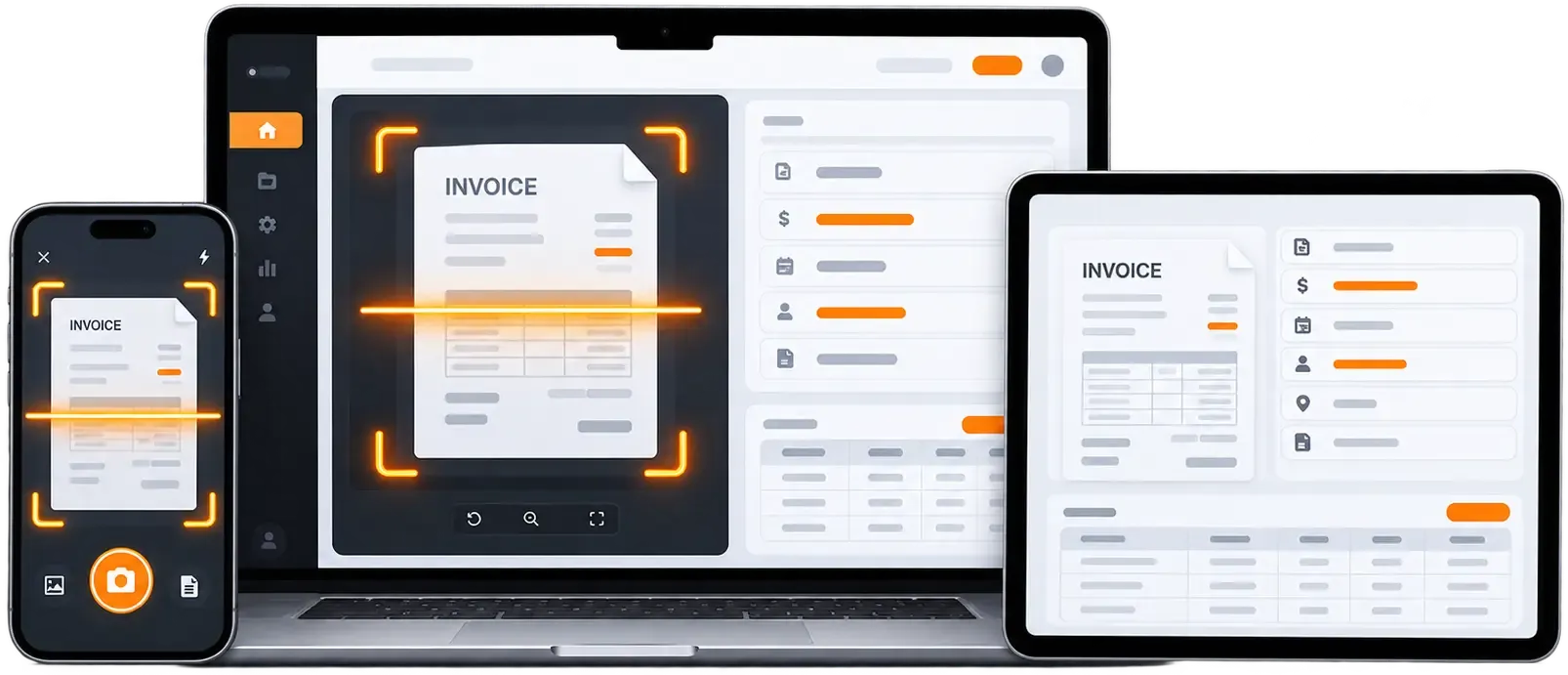
Key capabilities delivered to automate invoice processing, reduce manual data entry, and integrate structured financial data directly into existing business systems.
OCR-Based Invoice Recognition
Reads your invoice PDFs and images and recognizes their text, using an integration with OpenAI's OCR technology.
Business value: Supports invoice data capture without retyping.
Invoice Data Extraction
Pulls out the invoice ID, total amount, invoice date, and customer name.
Business value: Invoice field extraction turns key details into usable data.
Line-Item and Table Extraction
Recognizes tabular layouts, extracts the full table, and labels columns to match your requirements.
Business value: Keep only the columns that matter to you.
Multiple Ways to Submit
Send PDFs or images through email, an API, desktop apps, Google Drive, Dropbox, RPA and other cloud storage.
Business value: Fits the channels your team already uses.
Review Interface
A user-friendly interface lets you review extracted results.
Business value: Check results before the data moves on.
Export and Integration
Connects with your existing systems and applications for export and syncs with popular cloud storage services.
Business value: Extends invoice processing automation into your existing tools.
Flexible Storage
Store extracted data in Google Drive or local storage. Processed data can be synced and securely archived based on your preferences.
Business value: Keep processed data where it suits your workflow.
Have a Similar Invoice Processing Challenge?
If your team handles invoices from several sources and you want them as usable data, tell us what you need. You can discuss your document-processing requirements with Wappnet.ai, and we will explore which AI Document Processing Solutions and Custom AI Software Development approach fits your workflow.
Technology Used
Our Invoice OCR solution pairs OpenAI-based OCR with integrations that bring invoices in and store the results. It is the kind of connected setup we deliver through our AI Integration Services.
Impact & Outcomes
The Invoice OCR solution helps teams organize invoice information, reduce repetitive data entry, and move extracted data into their existing workflows. The outcomes depend on invoice formats, processing volumes, and the way the solution is configured.
More Structured Invoice Information
Invoice data extraction turns invoice PDFs and images into organized data, including key fields and table content, so your information is easier to use.
A More Consistent Workflow
Import, extraction, review, export and storage follow one path, giving your team a repeatable approach to automated invoice processing.
Less Manual Data Entry
Key details are read from the document, so your people have less to retype. How much time you save depends on your invoice mix and setup, and it has not been measured.
Easier Access to Your Data
Export options, system connections, and Google Drive or local storage put processed data where your team already works.
A Base for Finance Workflows
The extracted data can provide a starting point for accounts payable automation, audit support, compliance-related processes, and supplier analysis. Additional payment processing and approval capabilities can be scoped according to your business requirements.
Looking to Build an AI-Powered Invoice Processing Solution?
Want to spend less time on invoice data? Our AI Development Services and AI Automation Services cover document import, AI extraction and integration with your tools. Tell us about your invoices and systems, and we will discuss the right approach.
Frequently Asked Questions
Invoice OCR reads the text in an invoice PDF or image and converts it into digital data. Instead of retyping details, you get structured information your systems can process.
In general, AI Invoice Processing imports an invoice, reads it with OCR and AI, extracts the fields you need, and passes the results on. In this solution, you submit documents from sources such as email, Google Drive, or an API; scans are processed through an OpenAI integration; you can review the results; and the data is exported or stored.
This solution works with PDFs and images. According to the existing page, supported documents include credit and debit notes, proforma bills and commercial invoices, and it can also handle receipts, purchase orders, and similar financial documents. Exact support depends on configuration.
This solution extracts the invoice ID, total amount, invoice date, and customer name. If you need other fields, such as vendor details or tax amounts, we can discuss them as part of a custom implementation. They are not documented for this solution.
Yes. This solution recognizes a document's tabular layout, extracts the full table, and labels columns to match your requirements. Columns that match no label are left unlabeled.
Yes. The solution connects with your existing systems and applications for export, imports from sources such as email, an API, Google Drive and Dropbox, and syncs with popular cloud storage services. Integrations with specific accounting or ERP tools are not documented and would be scoped in a new engagement.
Extracted invoice data can feed accounts payable automation by replacing manual data entry at the start of the process. This solution covers import, extraction, review, export, and storage. It does not document payment processing or approval workflows.
Yes. You can discuss your custom AI and document-processing requirements with Wappnet AI. Scope, integrations, timeline, and cost depend on your invoice formats, volumes, and systems, so the first step is a short discovery conversation.