
AI Video Generation Automation
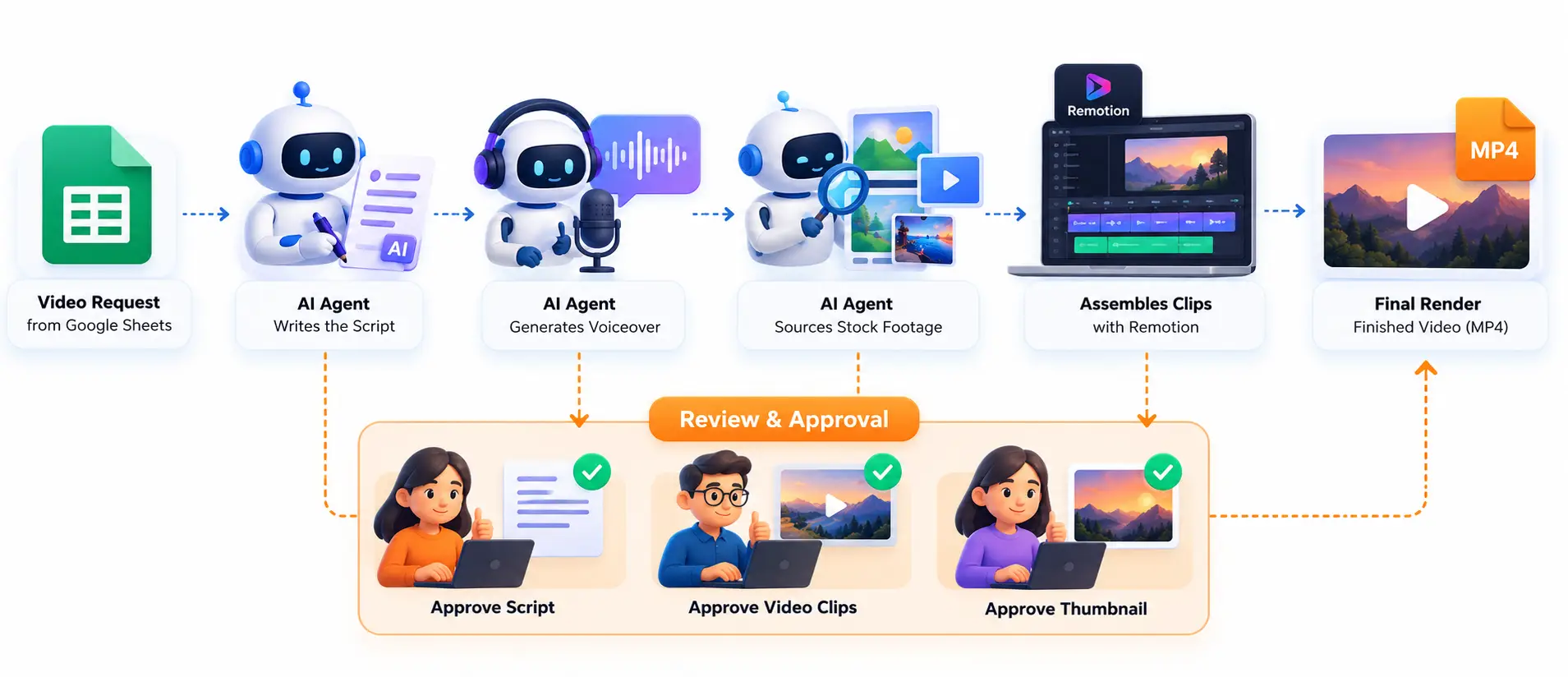
Producing recurring videos means coordinating scripts, voiceovers, footage, editing and review across disconnected steps. We built an AI Video Production Automation workflow that connects them: AI agents write the script, generate audio, source media, assemble clips and render the MP4, while human reviewers approve the script, video clips and thumbnail at defined checkpoints.
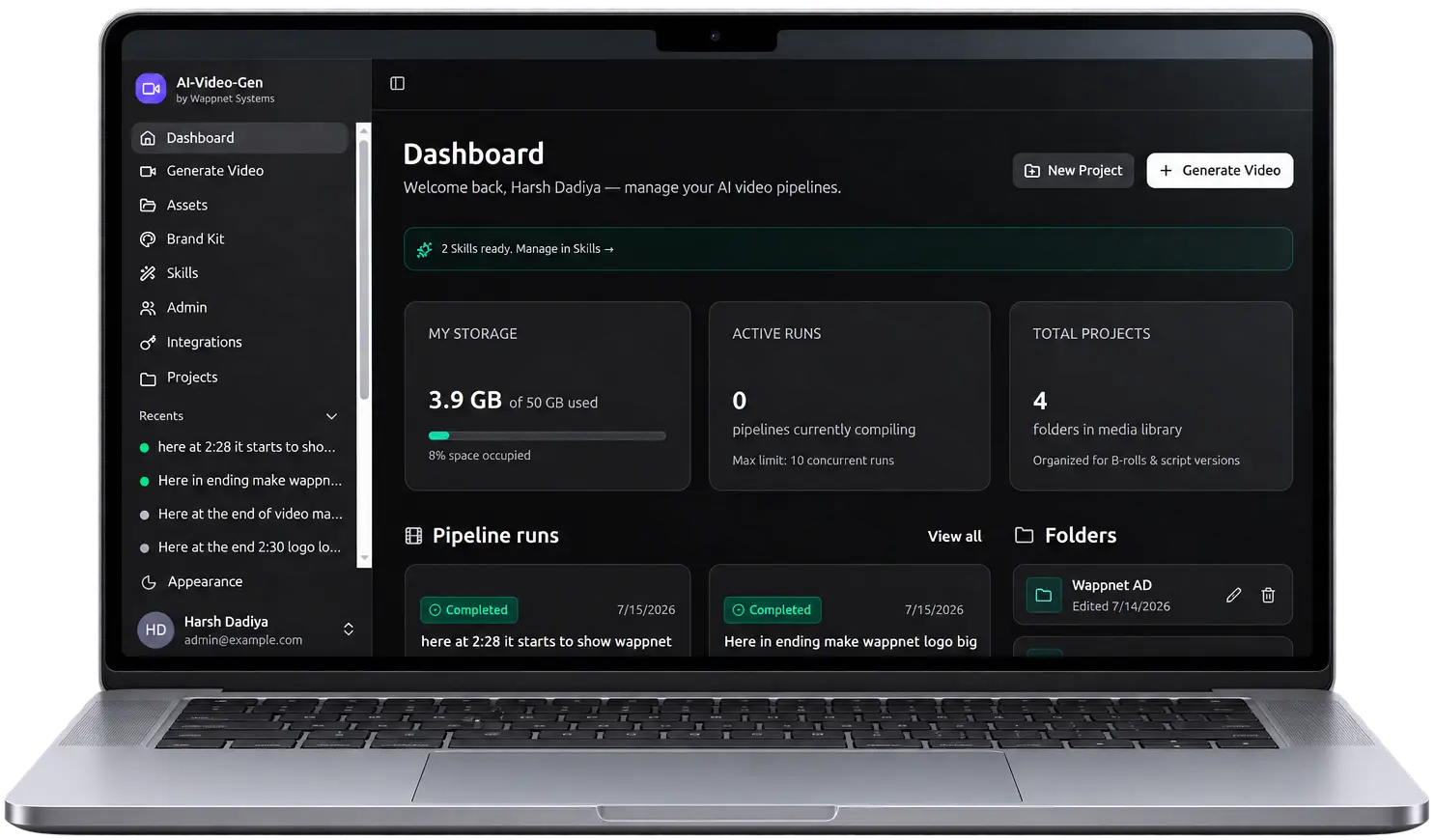
Project Overview
This AI Video Production Workflow takes a video request from Google Sheets to a finished MP4. AI agents write the script, generate the voiceover, source stock footage and assemble clips with Remotion, while reviewers approve the script, video clips and thumbnail before the final render.
Key Challenges
These are the design challenges the solution was built to address in Video Production Workflow Automation. Each one affects how reliably a team can turn a script idea into a finished video while keeping quality control in human hands.
Disconnected Production Stages
Scripting, audio generation, media sourcing, editing and rendering each need coordination across separate stages.
Repetitive Manual Handoffs
Moving work between stages creates operational overhead in any AI Content Production Workflow.
Visual and Narration Synchronization
Generated clips must line up with the matching voiceover.
Quality Control
Scripts, video clips and thumbnails need appropriate human review.
Revision Management
Rejected work needs actionable feedback and a controlled way to revise it.
Multiple Content Requirements
Different video formats need different visual, audio and narration setups for Automated Video Production.
Solution Delivered
Wappnet AI developed an AI-powered video production workflow that automates scripting, audio generation, media sourcing, and video rendering, with human review at key stages.
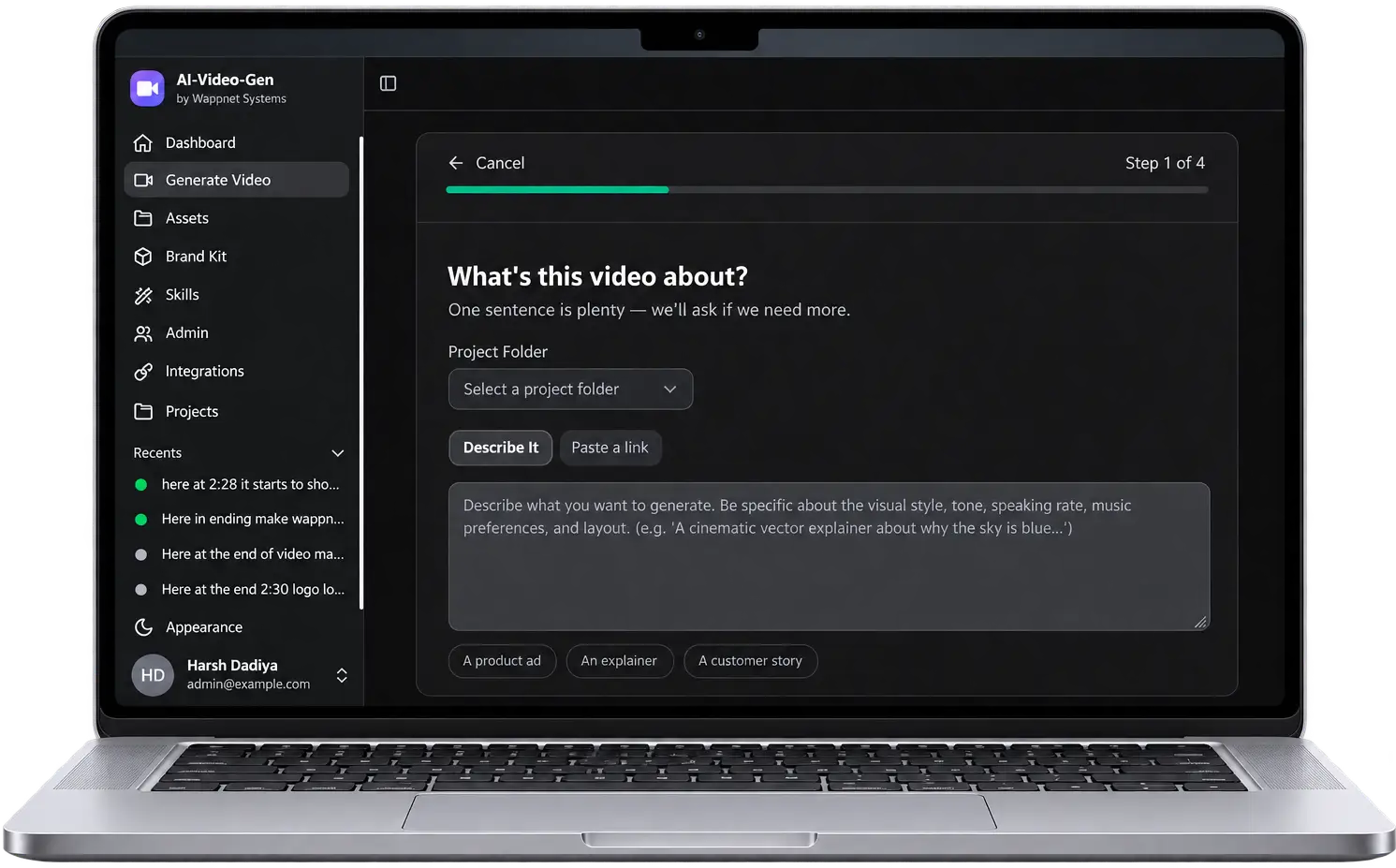
Google Sheets Workflow Control
New requests start in a sheet row. Status, action and ready fields control when the automation picks up work and show progress as the row moves through each stage.
AI Script Generation
A script-builder agent writes the hook, the clips and the ending, either from a topic or by transcribing a supplied voiceover.
Automated Audio Generation
Through ElevenLabs, the workflow generates voiceovers, sound effects and background music, according to each content configuration.
Automated Media Sourcing
A media curator uses Pexels to find and validate real stock footage and photos for each visual segment.
Optional AI-Generated Imagery
Where needed, Leonardo AI can supply generated images alongside sourced media.
Automated Video Composition
Remotion, built on React, assembles the clips, checks visuals against the voiceover and renders each clip.
Human Review and Revisions
Reviewers accept or reject the script, video clips and thumbnail. Rejections carry written feedback that drives the revision.
Final Rendering and Delivery
After the last required approval, accepted clips are combined into the finished video and its link is recorded in the sheet.
Our Approach
The workflow uses specialized AI agents, queue-based coordination and human approvals to manage production, revisions and delivery across different video formats.
Specialized AI Agents
Scripting, audio generation, media sourcing and video assembly each have a dedicated agent that reads the project state, does one job and passes structured output onward.
Queue-Based Coordination
A sheet syncer places new requests in a Redis queue. Worker containers pick up jobs, and a review watcher signals the worker to resume or revise on each decision.
Human-in-the-Loop Quality Control
Human-in-the-Loop AI Automation pauses the pipeline at script, video-clip and thumbnail checkpoints. Nothing advances past a review without a decision.
Reusable Workflow Configurations
Different content types share one infrastructure and review workflow, while each keeps its own production rules for visuals, audio and narration.
Features Implemented
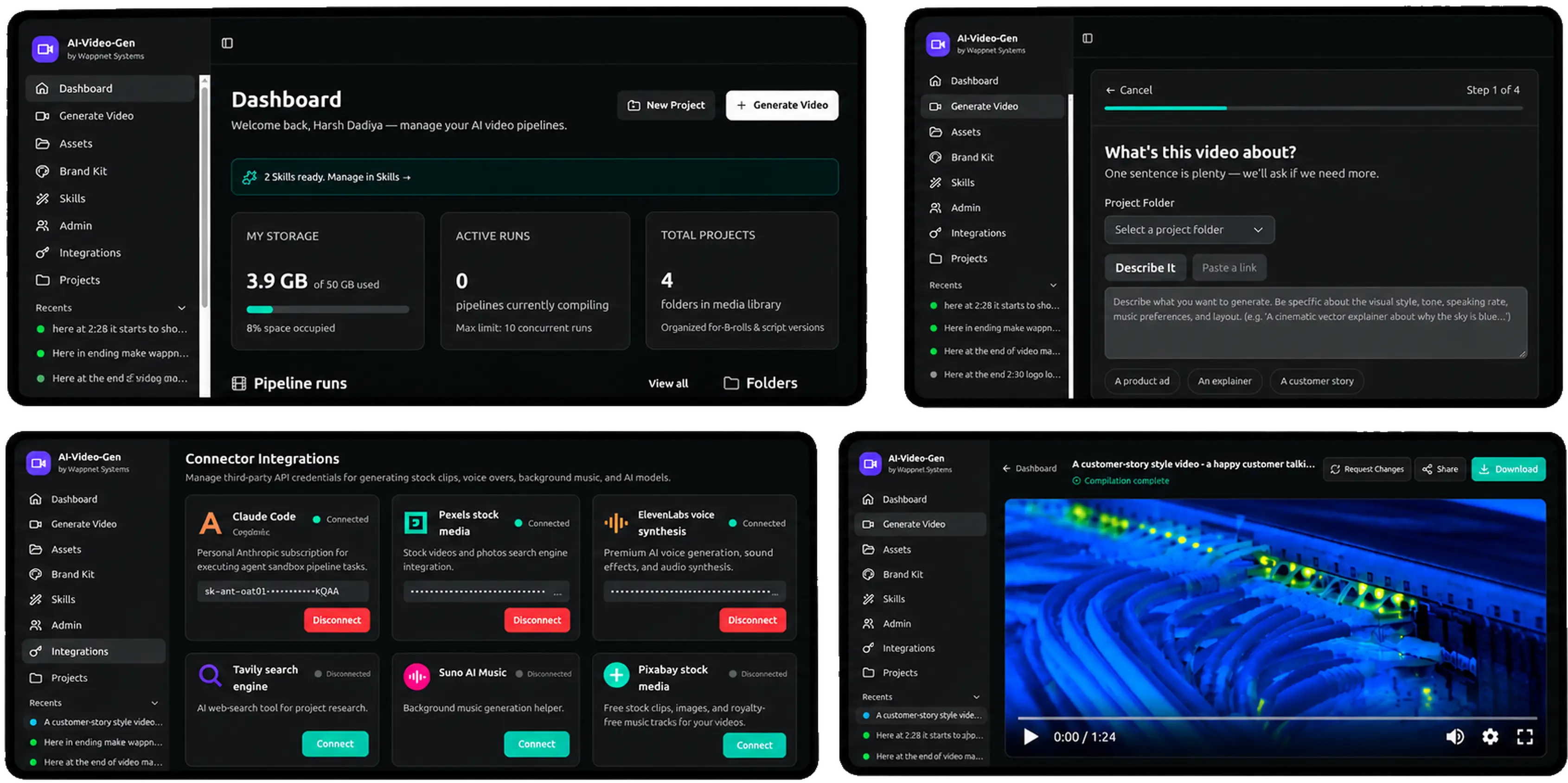
The workflow combines AI-powered content creation, automated video production, and human review to help teams manage recurring video projects through a structured process.
AI Script Generation
Creates structured video scripts with a hook, scene-by-scene content, and an ending from a topic or supplied voiceover.
Business value: Provides a consistent starting point for video production.
Automated Voiceover Generation
Generates narration through ElevenLabs using the approved script.
Business value: Reduces reliance on manual voice recording.
Sound Effects and Background Music
Generates sound effects and background music through ElevenLabs according to each video's configuration.
Business value: Adapts audio to different content requirements.
Stock Footage Sourcing
Searches Pexels for relevant stock footage and photos to match individual video segments.
Business value: Simplifies visual asset sourcing.
AI-Generated Imagery
Uses Leonardo AI to create additional images when suitable stock media is unavailable or insufficient.
Business value: Expands visual options for specific scenes.
Automated Video Composition
Uses Remotion and React to combine media, narration, and on-screen text into structured video compositions.
Business value: Enables repeatable video assembly.
Video Clip Rendering
Renders individual clips as MP4 files and shares them for review before final video assembly.
Business value: Enables feedback on individual clips before finalization.
Voiceover and Visual Synchronization
Checks the alignment between narration and visuals, with corrections handled by the workflow or guided by reviewer feedback.
Business value: Helps maintain consistency between audio and visuals.
Human Review Checkpoints
Pauses production for approval of scripts, video clips, and thumbnails.
Business value: Keeps quality and publishing decisions under human control.
Feedback-Driven Video Revision
Uses written reviewer feedback to guide corrections and re-rendering of rejected content.
Business value: Makes revision requests more targeted and actionable.
Automated Thumbnail Generation
Creates video thumbnails from the title and maintains separate versions for review. The step can be disabled for individual videos.
Business value: Supports thumbnail comparison and selection.
Multi-Format Workflow Configuration
Uses shared infrastructure and review processes with separate settings for visuals, audio, and narration across content formats.
Business value: Accommodates different video formats without separate workflow builds.
Google Sheets Workflow Automation
Allows users to initiate video requests, monitor progress, and record approval decisions in Google Sheets.
Business value: Makes workflow management accessible to non-technical reviewers.
Queue-Based Job Coordination
Uses Redis to manage jobs, handoffs, and review states between worker containers.
Business value: Keeps production tasks coordinated across workflow stages.
Automated MP4 Generation
Combines approved clips into a final MP4 and records the output link in Google Sheets.
Business value: Provides a defined delivery step for completed videos.
Ready to Automate Your Video Production Workflow?
Content teams, publishers and media businesses can use our AI Workflow Automation Services to automate repetitive production steps, from scripts and audio to video assembly and review.
Technology Used
A focused stack powers this AI Video Generation Automation workflow, with each tool handling one defined job.
Impact & Outcomes
The AI video generation workflow brings production tasks and review decisions into one coordinated process. Its key outcomes are:
A Connected Production Pipeline
Script generation, audio creation, media sourcing, video composition and rendering follow a structured workflow rather than being managed as disconnected stages.
More Consistent Production Workflows
Reusable configurations support different content formats while keeping production stages and review procedures consistent.
Greater Visibility Into Production Status
Google Sheets provides a familiar place to initiate requests, follow progress and record review decisions.
Controlled Revisions and Approvals
Human approval checkpoints and written feedback help teams review scripts, clips and thumbnails before final delivery.
A Structured Path to Final Video Delivery
Once the required approvals are complete, accepted clips are combined into a final MP4 and its link is recorded in the workflow.
Build a Custom AI Video Automation Solution With Wappnet AI
Looking for a partner for Custom AI Automation Solutions? Our AI Agent Development Services team can discuss your workflow, content types, tool integrations, rendering requirements and approval process, then shape an AI Workflow Automation plan around them.
Frequently Asked Questions
AI Video Generation Automation uses AI agents to handle script, voiceover, media sourcing, assembly, and rendering in one workflow, with human review at key points.
A request starts in Google Sheets, AI agents build the script, audio and clips, and reviewers approve before the final render. That is Automated Video Production with people in control.
Yes. In this AI Agent Workflow Automation system, agents write scripts, generate voiceovers, source media, and assemble clips, and people review before work advances.
The pipeline pauses for a person's Accept or Reject decision at set checkpoints: script, video clips, and thumbnail. This Human-in-the-Loop AI Automation keeps people in control.
Reviewers reject a stage with specific written feedback, and the workflow uses it to revise and re-render. Feedback-Driven Video Revision also keeps every thumbnail version for comparison.
This AI video production workflow uses Claude Code, Python, Node.js, Docker, Remotion, React, a Redis queue, Google Sheets, ElevenLabs, Pexels, optional Leonardo AI and AWS Lambda.
Remotion builds videos from React code, so each clip is composed and rendered automatically. Remotion Video Rendering uses AWS Lambda for heavier work and final concatenation.
Yes. This AI video automation system runs separate configurations on shared infrastructure, each with its own visual, audio, and narration rules.
After the video clips are accepted, Video Thumbnail Generation creates a thumbnail from the title for review. Reject with feedback creates a new version.
Yes. Wappnet AI can build Custom AI Automation Solutions around your content, integrations, and approval process. Scope and timeline depend on your requirements.