
AI Text-to-Speech Software
People often need to listen to content they cannot easily read, or read it in a language they do not use. Wappnet AI built this AI text-to-speech software to turn typed text and text extracted from images into audio. Users choose a voice, adjust speaking speed, apply audio effects and translate text first with Google Cloud Translation, on web and mobile.
Built for teams exploring custom text-to-speech software that lets people listen instead of read. This page describes what was built, not measured results.
Project Overview
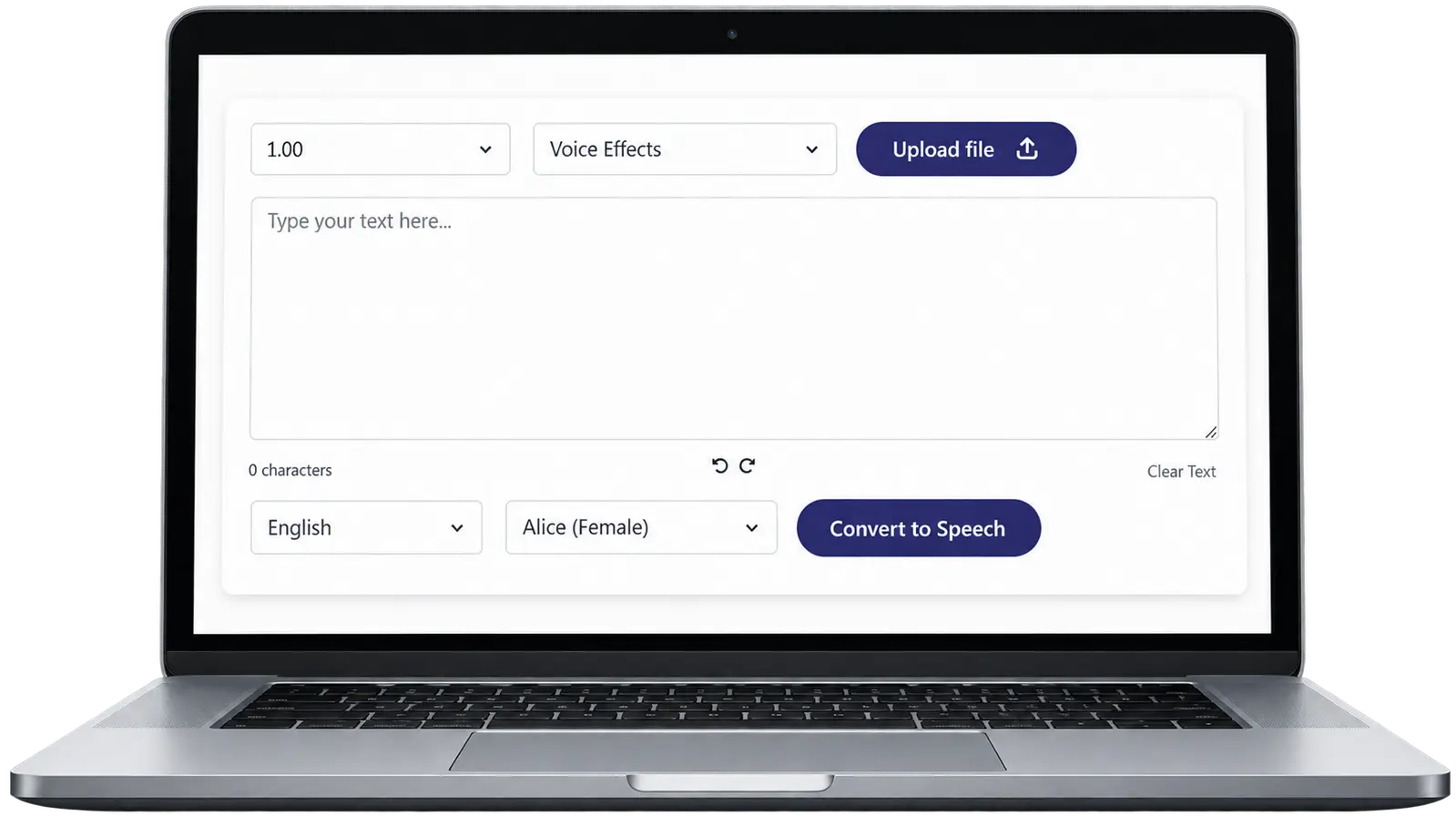
This text-to-speech application turns written content into audio. Users type text or upload an image, and the application extracts the words so they can be spoken.
They then pick a language, choose a voice, set the speaking speed and apply audio effects, with optional translation before the audio is generated. It runs on web and mobile and is an example of our text-to-speech application development.
Key Challenges
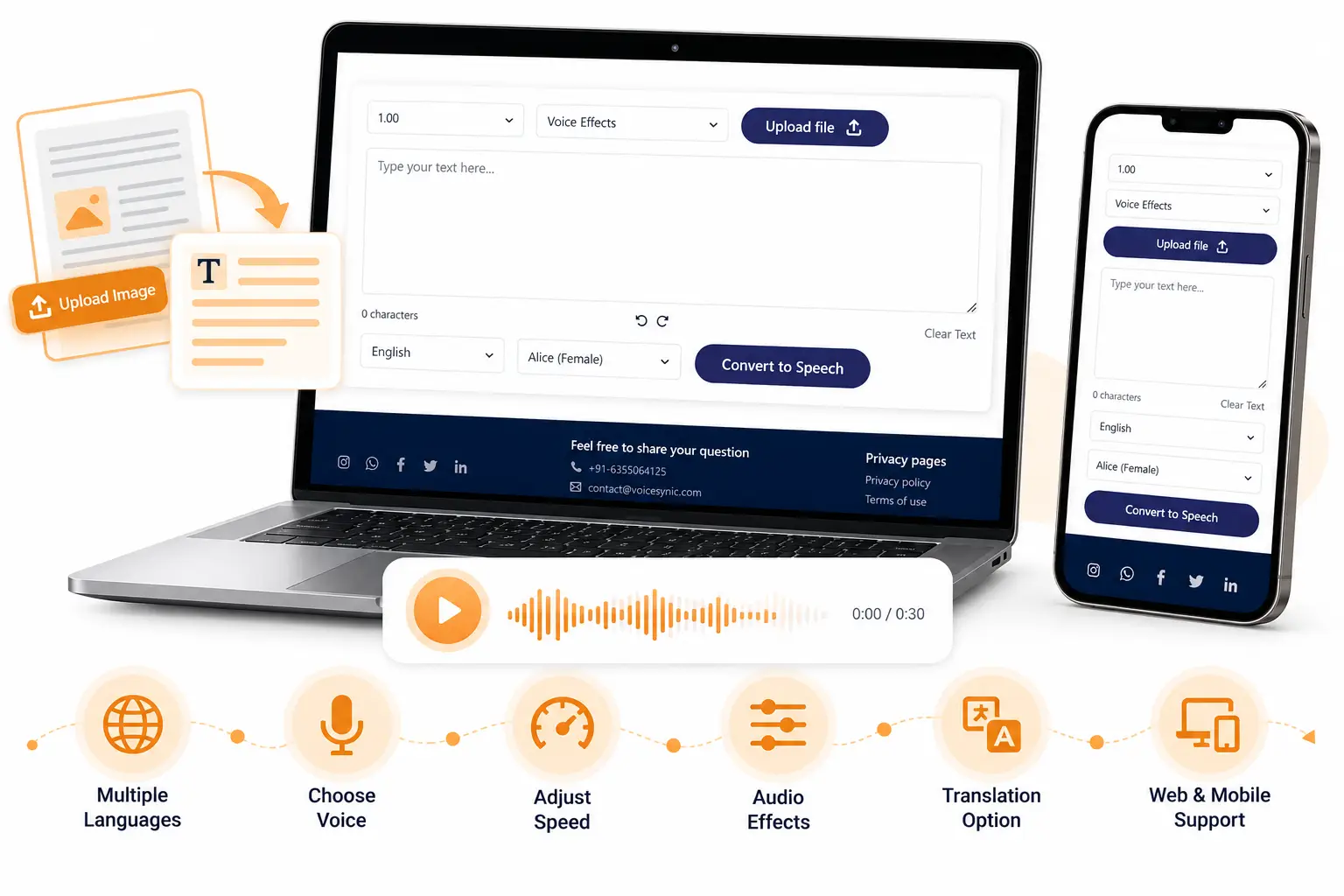
Creating a flexible text-to-audio experience meant meeting these design requirements. Content can start as typed text or as text inside an image, and listeners want control over voice, pace and language. The application also had to work in a browser and on a phone.
Converting Text Into Audio
Users need a convenient way to turn written content into spoken output. Dependable text-to-audio conversion is the foundation everything else builds on.
Processing Text Inside Images
Text embedded in an image cannot go straight into a speech workflow. It needs an image text extraction step first.
Personalizing the Listening Experience
People differ in the voices they like, the pace they follow and the effects they enjoy, so these needed to be user controls.
Supporting Multiple Languages
Users need to translate text before generating audio in another language, where the required language is supported by the services used.
Providing Web and Mobile Access
Browser and mobile use call for interfaces designed for each, backed by one set of services.
Solution Delivered
This AI text-to-speech app lets people start from text or an image and end with audio shaped to their preferences. It is the multilingual text-to-speech workflow we delivered.
Text-to-Speech Conversion
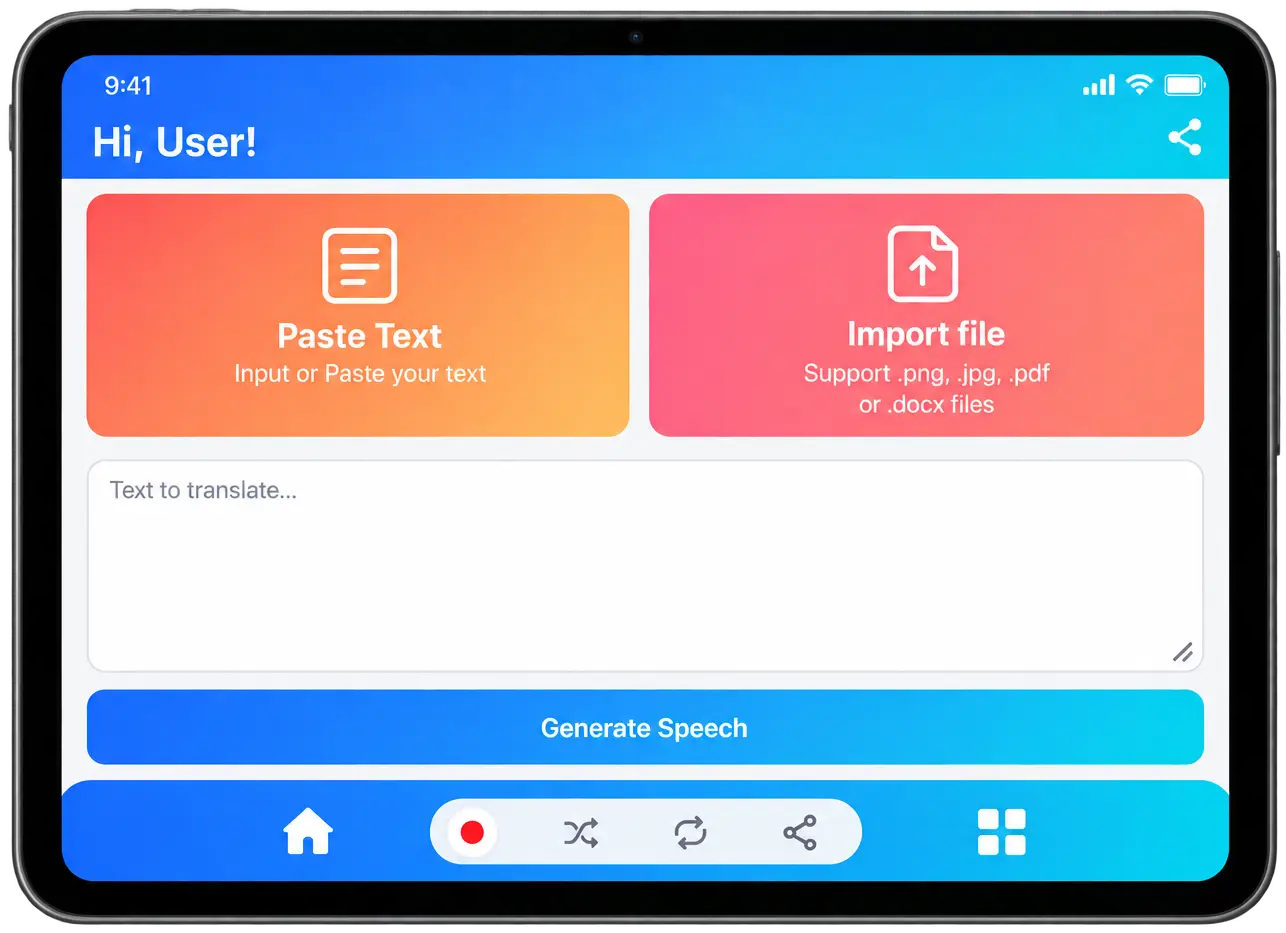
Google Cloud Text-to-Speech AI converts text into audio, so users get spoken output from written content without recording anything themselves.
Image Text Extraction
Users can upload an image that contains text, and the application converts the extracted text into audio. Text in screenshots, photos or graphics becomes listenable without retyping.
Voice Selection
Users choose from the available voice options, shown in the interface as selectable audio characters, so the same text can be heard in a voice they prefer.
Audio Customization
Users can apply audio effects and adjust the speaking speed. A slower pace helps careful listening, and a faster one suits quick review.
Multilingual Translation
Google Cloud Translation translates text into other languages before speech is generated, subject to the languages the services support. One workflow serves content that has to be heard in another language.
Web Application
The browser interface lets users enter text, upload an image, choose a language and voice, set speed and effects, and start the conversion, with no installation needed.
Mobile Application
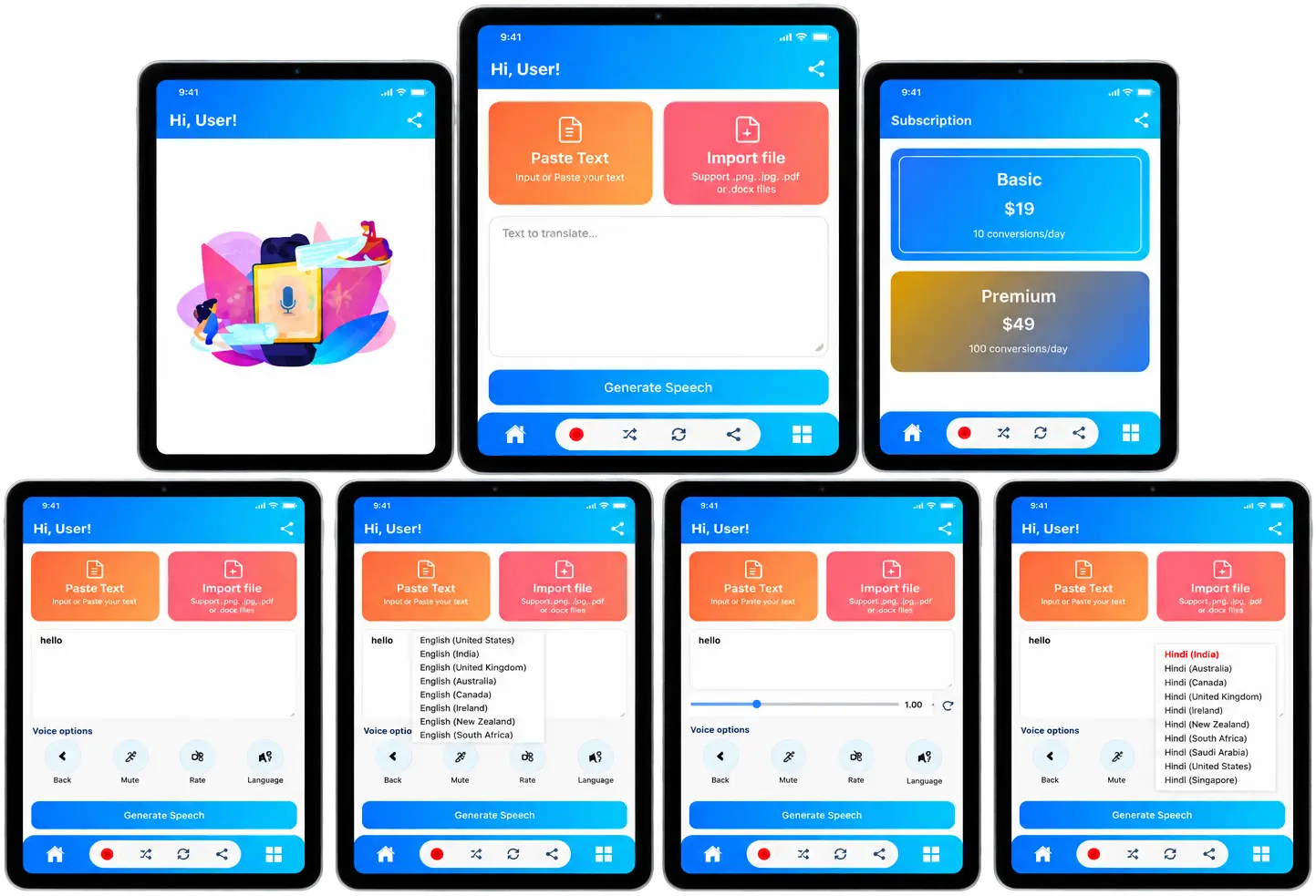
The mobile frontend was built with React Native, with Paste Text and Import file options and a Generate Speech button, so listening workflows are available on a phone.
Our Approach
These four decisions shaped the build and reflect how we approach AI-powered app development.
Flexible Content Input
Text entry and image-based text extraction are two starting points, so users are not limited to content they can type.
Cloud-Based Speech Generation
Speech generation uses Google Cloud Text-to-Speech AI, so we use Google Cloud Text-to-Speech as a managed service to generate audio from text.
Customizable and Multilingual Output
Voice selection, audio effects, speed adjustment and translation sit together in one interface, so users shape the output before they generate it.
Cross-Platform Experience
React powers the web interface, React Native the mobile app and Django REST Framework the backend APIs, so both interfaces share one backend.
Features Implemented
Each feature below explains what it does and the business value it brings to a text-to-speech product.
Text-to-Speech Conversion
Converts the text a user types or pastes into spoken audio using Google Cloud Text-to-Speech AI.
Business value: Written content offered as audio
Image Text Extraction
Extracts the text from an uploaded image and prepares it for speech generation.
Business value: Image content without retyping
Multiple Voice Options
Lets users pick from several available voices before generating audio.
Business value: Voice matched to the audience
Audio Effect Customization
Lets users apply a selectable audio effect to the generated speech.
Business value: A more tailored listening experience
Adjustable Speaking Speed
Lets users set how fast or slow the speech is read before conversion.
Business value: One product for different listening habits
Multilingual Text Translation
Translates the text with Google Cloud Translation before speech is generated.
Business value: Content for more than one language
Language Selection
Provides a language menu so users choose the output language for each conversion.
Business value: Clear control over output language
Voice and Audio Character Selection
Presents the available voices as selectable audio characters in the voice menu.
Business value: Variety without extra steps
Web Application Interface
Provides a React browser interface that covers text entry, image upload, settings and conversion.
Business value: Instant access, no installation
React Native Mobile Application
Provides a React Native mobile interface with Paste Text, Import file and Generate Speech options.
Business value: The same workflow on phones
Planning a similar application?
Tell us what content and languages matter most, and we will help shape the workflow around them.
Technology Used
Each technology below has one job in the workflow, from speech generation to the web and mobile interfaces.
Impact & Outcomes
The business value of customizable text-to-speech technology. These are supported capabilities and potential benefits, not measured results.
More Ways to Consume Content
Written content can become audio for people who prefer to listen.
Audio From Image-Based Text
Image-to-audio conversion supports cases where text sits in an image rather than in a typed document.
Flexible Listening Preferences
Users can choose available voices, adjust speaking speed and apply audio effects.
Multilingual Audio Experiences
Translation plus speech supports multilingual audio generation, where the requested language is supported.
Planning a Custom Text-to-Speech Application?
We have built this kind of AI audio application end to end: AI API integration, Python backend, React web, React Native mobile and cloud services. Share your input formats, languages and platforms, and our AI development services team will plan custom AI application development around them.
Frequently Asked Questions
Text-to-speech software converts written text into spoken audio using a synthetic voice. Users type or supply text, choose options such as voice and speed, and the software generates audio they can listen to.
An AI text-to-speech application sends text to a speech service that generates audio. In the platform, text is entered or extracted from an image, optionally translated, and then passed to Google Cloud Text-to-Speech AI to produce the audio.
Yes, when it includes a text-extraction step. In the platform, users upload an image containing text, the text is extracted, and it is then converted into audio.
Yes. The platform lets users choose from available voice options, adjust the speaking speed and apply audio effects before generating audio.
The text is translated into the selected language first, and then speech is generated from the translated text. The platform uses Google Cloud Translation and Google Cloud Text-to-Speech AI for the two steps. Which languages are available depends on those services.
It uses Python and Django REST Framework for the backend, React for the web frontend, React Native for the mobile app, Google Cloud Text-to-Speech AI and Google Cloud Translation for speech and translation, and an AWS EC2 server instance.
Yes. In the platform, a React web interface and a React Native mobile app share a Django REST Framework backend.
It converts the final text into spoken audio. Connecting it to the platform is a typical text-to-speech API integration.
When a user selects another language, the text is sent to Google Cloud Translation first. The translated text is then passed to the speech service. Support for a particular language depends on what the services offer.
Yes. Wappnet AI builds custom AI applications, including web and mobile software that integrates cloud AI services. Scope, languages, platforms and integrations depend on your requirements, so the best first step is a short discovery conversation contact Wappnet AI.