
AI Face Swapping Software
AI face-swapping software uses computer vision and machine learning to replace a face in one image with a face from another. Wappnet built a mobile application that combines facial feature detection, an ONNX face-swapping model and image enhancement in a guided workflow. The solution demonstrates how businesses can integrate AI image transformation into a custom mobile product.
Project Overview
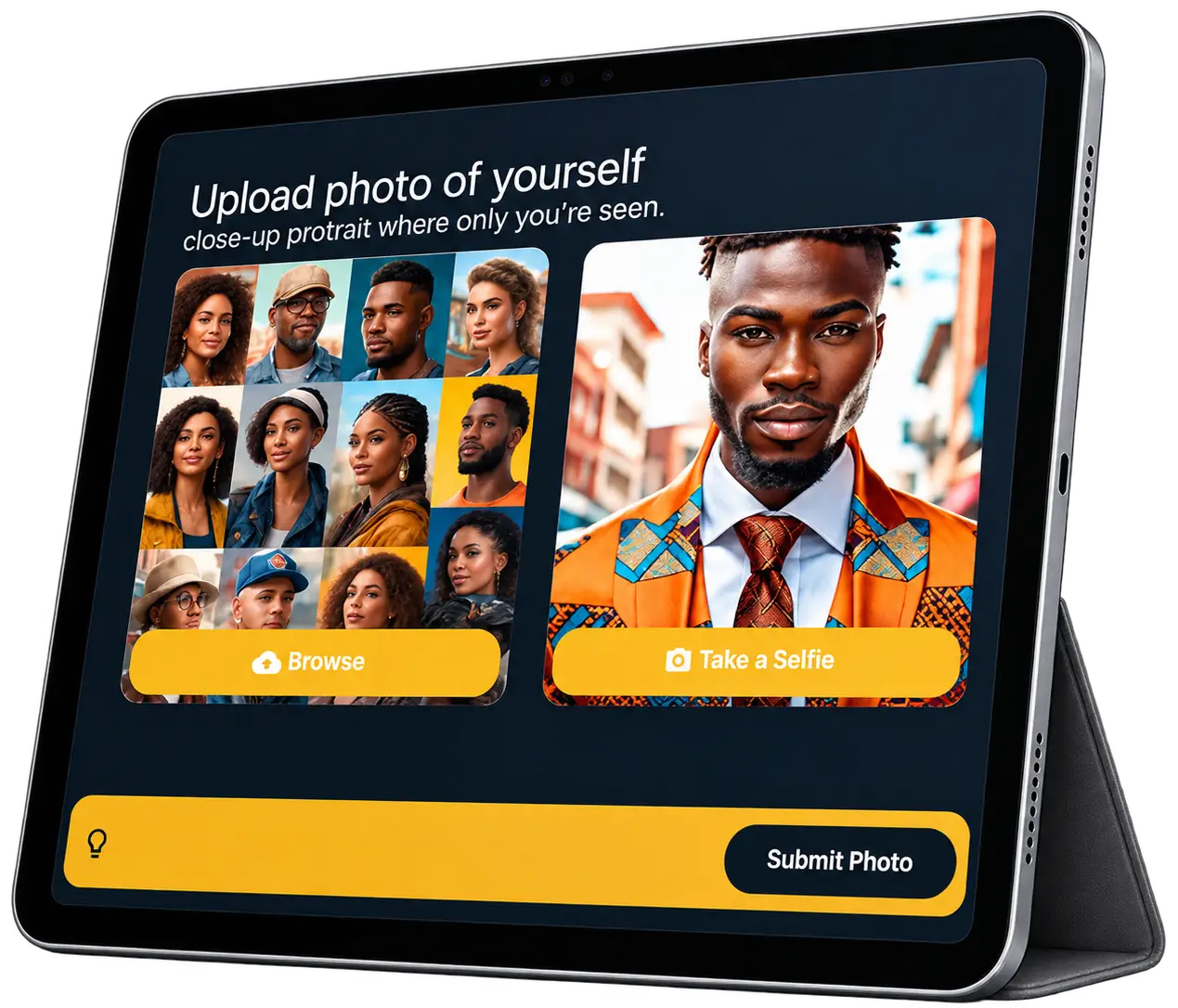
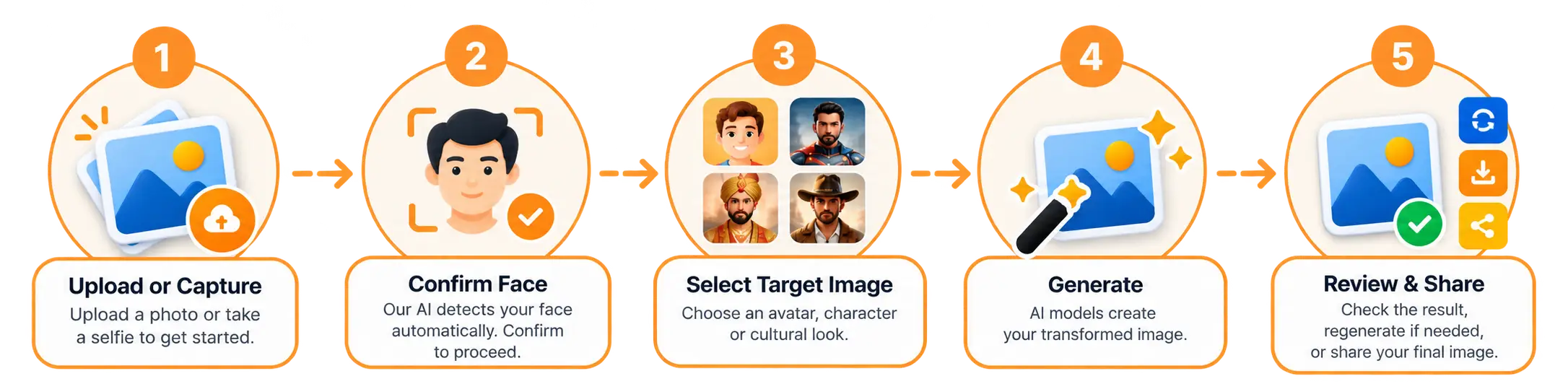
The project focused on creating a guided mobile experience that takes users from portrait upload to a transformed image. Users can upload a photo or capture a selfie, confirm the detected face, select a target image such as an avatar, character, or cultural look, and generate the result.
Behind this workflow, the Python backend coordinates facial feature detection, an ONNX face-swapping model, and image enhancement models. Users can then review the generated image, regenerate it if needed, or share the final result. This project demonstrates how AI model integration and mobile app development can bring a multi-stage image transformation workflow into one application.
Key Challenges
Turning a personal photo into a transformed image depends on five technical and user-experience moments.
Facial feature detection
The workflow starts with the user's photo. The application needs to identify facial features in the uploaded image so every later step has a reliable starting point.
Aligning source and target images
Face swapping has to work with the user's face and the selected target image together, so the transformed result looks coherent.
Improving the final image
A swapped image is not the finished product. An AI image enhancement stage improves the output quality before the user reviews it.
Coordinating multiple AI components
Face detection, face swapping and image enhancement are separate models. They must work together inside one image processing pipeline, orchestrated by the Python backend.
Creating a guided mobile experience
Users should always know what comes next: upload, confirm the detected face, select a target, generate and review the result.
Solution Delivered
The solution is a mobile app that turns a portrait into a transformed image through a guided flow. It combines facial feature detection, an ONNX face-swapping model and AI image enhancement models, so each step shapes the next.
Start with a portrait
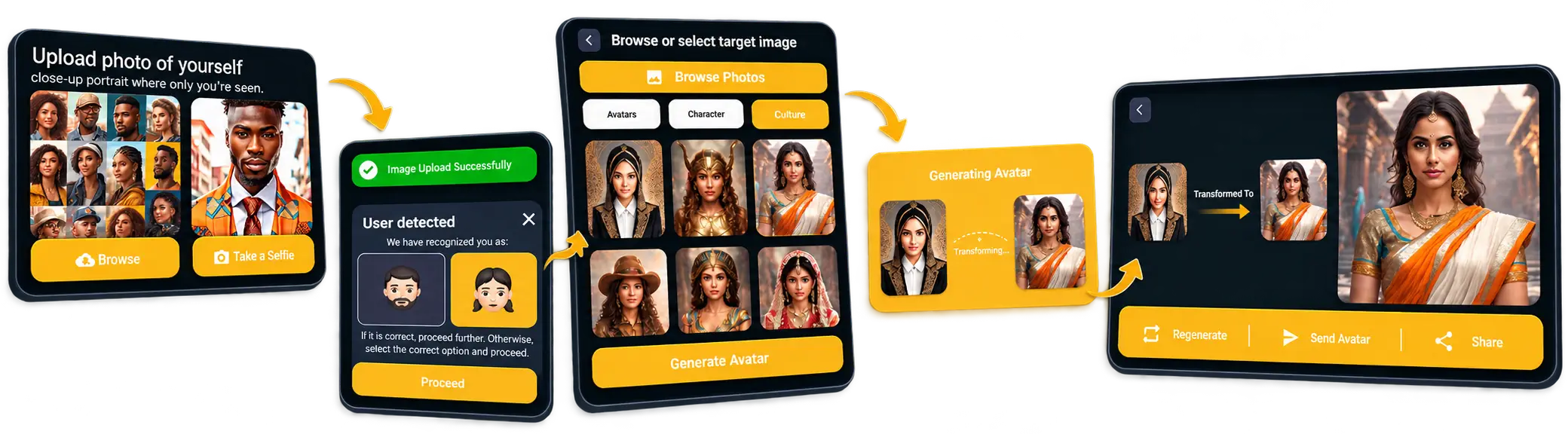
The app asks for a close-up portrait where only the user is seen. Users browse for a photo or take a selfie, then submit it.
Detect facial features
DeepFace and face detection models identify facial features in the image. A User detected panel lets the user confirm or correct the selection.
Choose a target image
Users browse photos or pick from categories such as Avatars, Character and Culture, then tap Generate Avatar.
Swap the face
An ONNX swapper model processes the source and target images, while a Generating Avatar dialog shows the two images.
Enhance and review
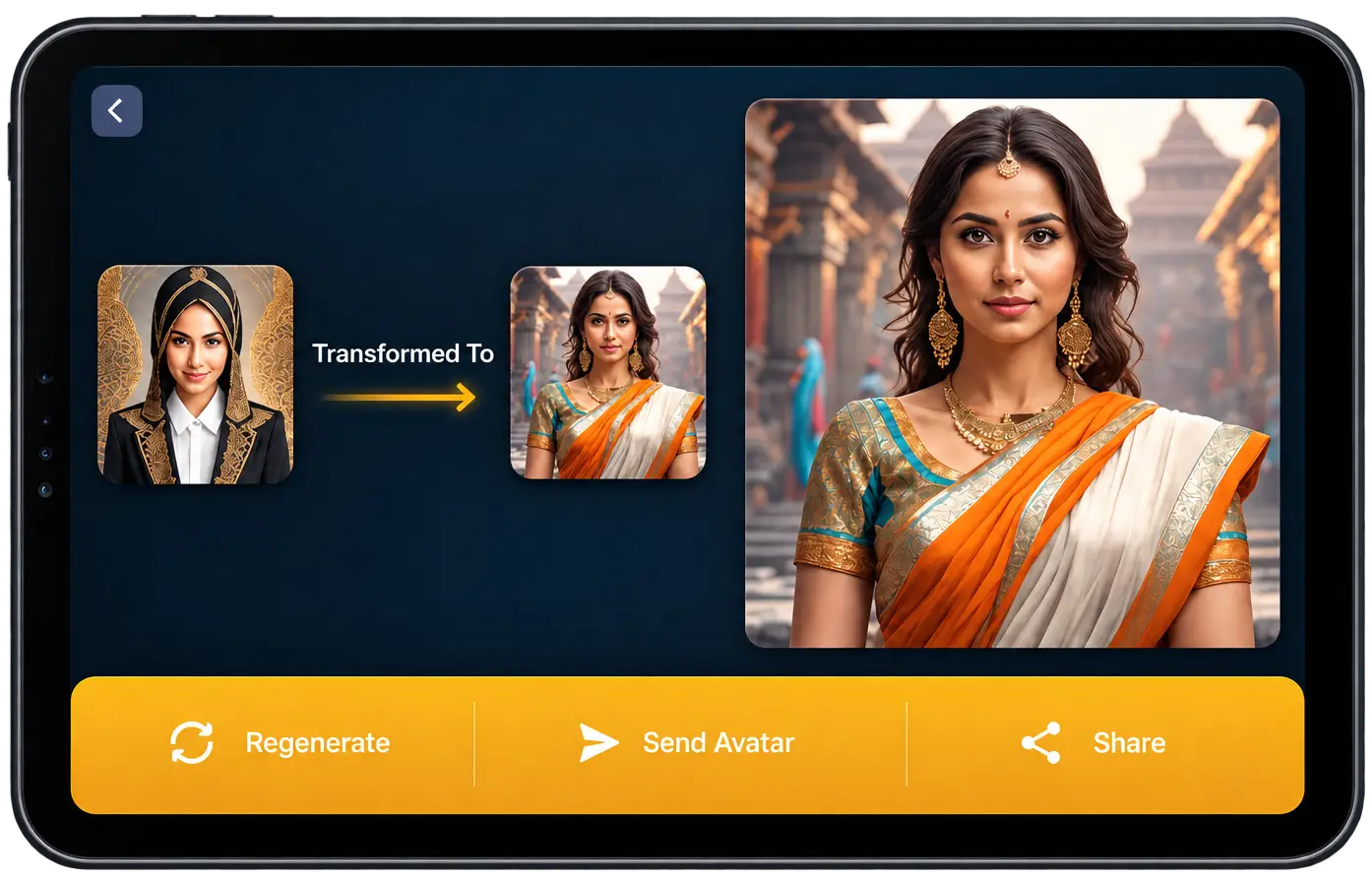
Image enhancement models improve the result. Users review it and can Regenerate, Send Avatar or Share.
Our Approach
We split the work into four stages, so each AI model has one clear job and the user has one clear step at a time.
Detect facial features
Documented face analysis and detection models, including DeepFace, handle facial feature detection so the swap works from analyzed input.
Transform the selected image
The ONNX swapper model performs the face swapping inside a single backend workflow.
Enhance the output
Image enhancement models run after the swap to improve the result.
Simplify the user journey
Upload, confirmation, target selection, generation and review, each screen asking for one decision in the app.
Features Implemented
Each feature below explains what it does and why it matters to a business building an AI image app.
Facial feature detection
DeepFace and face detection models identify facial features in the uploaded image.
Business value: Every later step starts from analyzed input.
AI-powered face swapping
Replaces the face in the uploaded image using the selected target image, supporting AI portrait transformation.
Business value: The core transformation runs automatically, with no manual editing.
ONNX model integration
Runs the ONNX swapper model from the Python backend as part of the processing workflow.
Business value: The swap step sits inside one managed workflow.
Image enhancement models
A selection of image enhancement models improves the transformed image before review.
Business value: Users get a result that has had a dedicated quality step.
Portrait upload
Users browse for a close-up portrait or take a selfie, then submit it.
Business value: The workflow starts from the user's own photo.
Target image selection
Users browse photos or pick from categories such as Avatars, Character and Culture.
Business value: Users choose the visual direction themselves.
Face confirmation workflow
A "User detected" panel lets users proceed or select the correct option before generation.
Business value: Users can correct the detected selection before processing.
AI avatar generation
Processes the source and target images into a transformed result when the user taps Generate Avatar.
Business value: One tap produces the final image.
Transformed image preview
The result screen shows the original portrait, the target image and the transformed image together.
Business value: Input and output are easy to compare.
Image regeneration
A Regenerate action on the result screen lets users run the transformation again.
Business value: Users can try again without starting over.
Result sharing actions
Send Avatar and Share actions appear on the final screen.
Business value: The result can move on from the app.
Want These Features in Your Own AI Image App?
Talk to our team about AI face swap app development, image processing workflows and mobile interfaces for your product.
Technology Used
Each technology has a clear role in detecting faces, swapping them and enhancing the final image.
Impact & Outcomes
What the platform gives users and product teams, from upload to the final transformed image
An integrated transformation workflow
Upload, detection, swapping and enhancement connected in one app.
Automated face transformation
The ONNX swapper model automates the face-swapping step.
Enhanced image output
Image enhancement models improve the final image.
A guided mobile experience
A structured flow from upload to reviewing the generated result.
Planning a Custom AI Image Transformation Application?
Whether you are a startup or an established business, our team can help with custom AI application development, from image-processing workflows and AI model integration to the mobile interface and cloud deployment.
Frequently Asked Questions
It uses computer vision and machine learning models to replace the face in one image with a face from another. Here, the app detects facial features in an uploaded portrait, swaps the face using a target image, then enhances the result.
A user uploads a portrait and the backend runs facial feature detection. An ONNX swapper model replaces the face using the selected target image, and image enhancement models improve the output.
Face detection finds faces and facial features in an image. Face swapping is the later step that replaces one face with another.
Image enhancement models run after face swapping to refine the transformed image before users review or share it. The final result depends on the input images and the models used in the processing workflow.
Python, OpenCV, DeepFace, face detection models, an ONNX swapper model and image enhancement models handle processing. Django REST Framework, Flutter, MySQL and AWS cover the API, mobile app, database and hosting.
The ONNX swapper model performs the face-swapping step. ONNX is an open format for machine learning models, so the model can run from a Python backend.
Yes. This project is a Flutter mobile app that handles upload, confirmation, target selection and result review, while the AI models run on the backend.
Python scripts orchestrate the models and process data. Django REST Framework manages data exchange between the mobile app and the backend.
Plan the workflow, technology stack and cloud infrastructure. Also plan responsible use: permission to use a person's likeness, privacy rules, disclosure of transformed images and safeguards for uploaded images.
Yes. This case study shows Wappnet AI integrating AI models, building the backend API and mobile app, and deploying on AWS.